Allwayswithyou

Case Study

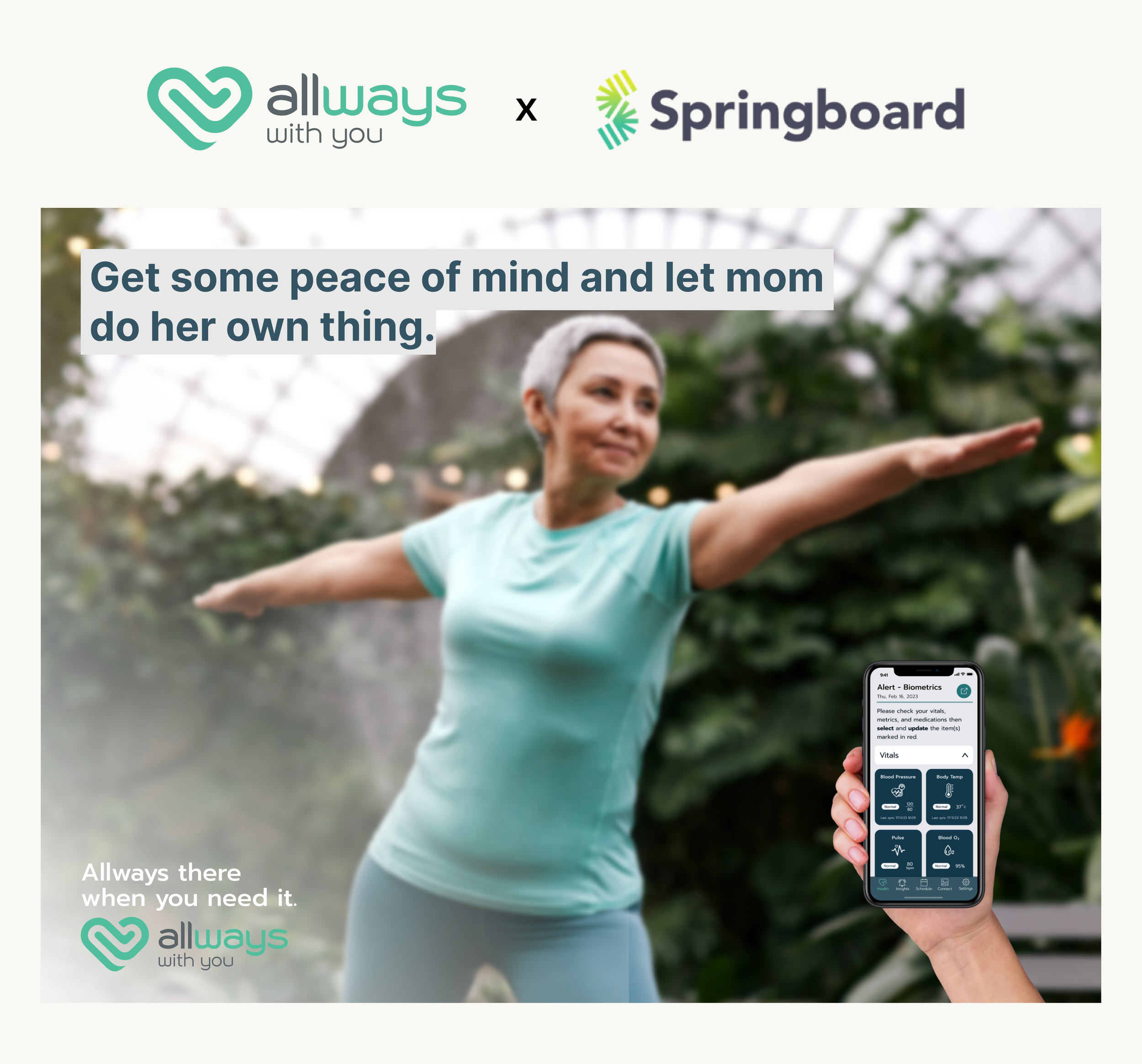
A woman standing outdoors with arms extended, smiling, with a smartphone in her hand displaying health tracking app features about vitals.
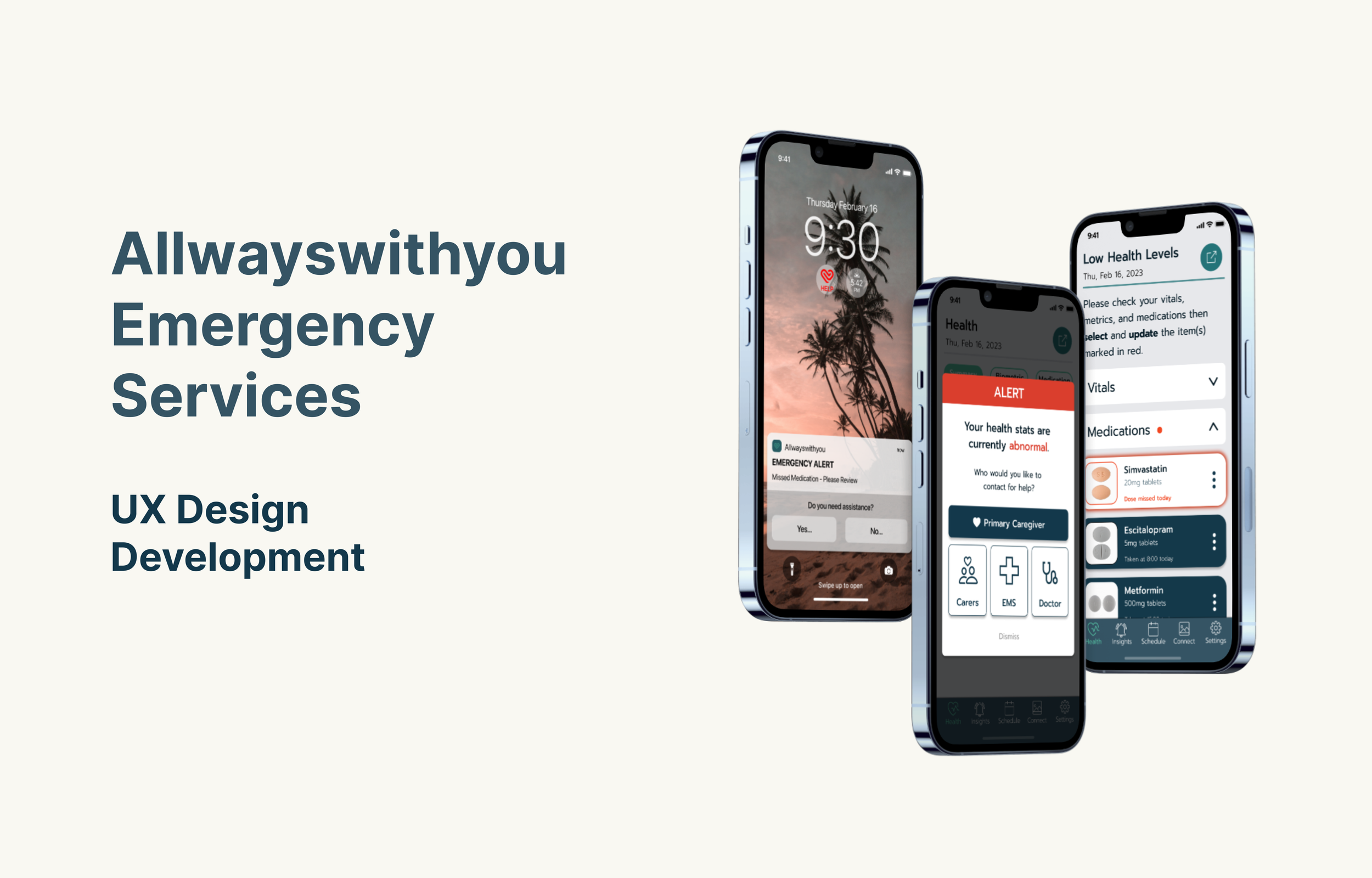
A digital presentation slide for Allwayswithyou Emergency Services features three smartphone screens showing various health and emergency alerts and applications, with a palm tree sunset background on the central phone. The slide has text that includes the main title, 'Allwayswithyou Emergency Services', and the subtitle, 'UX Design Development'.
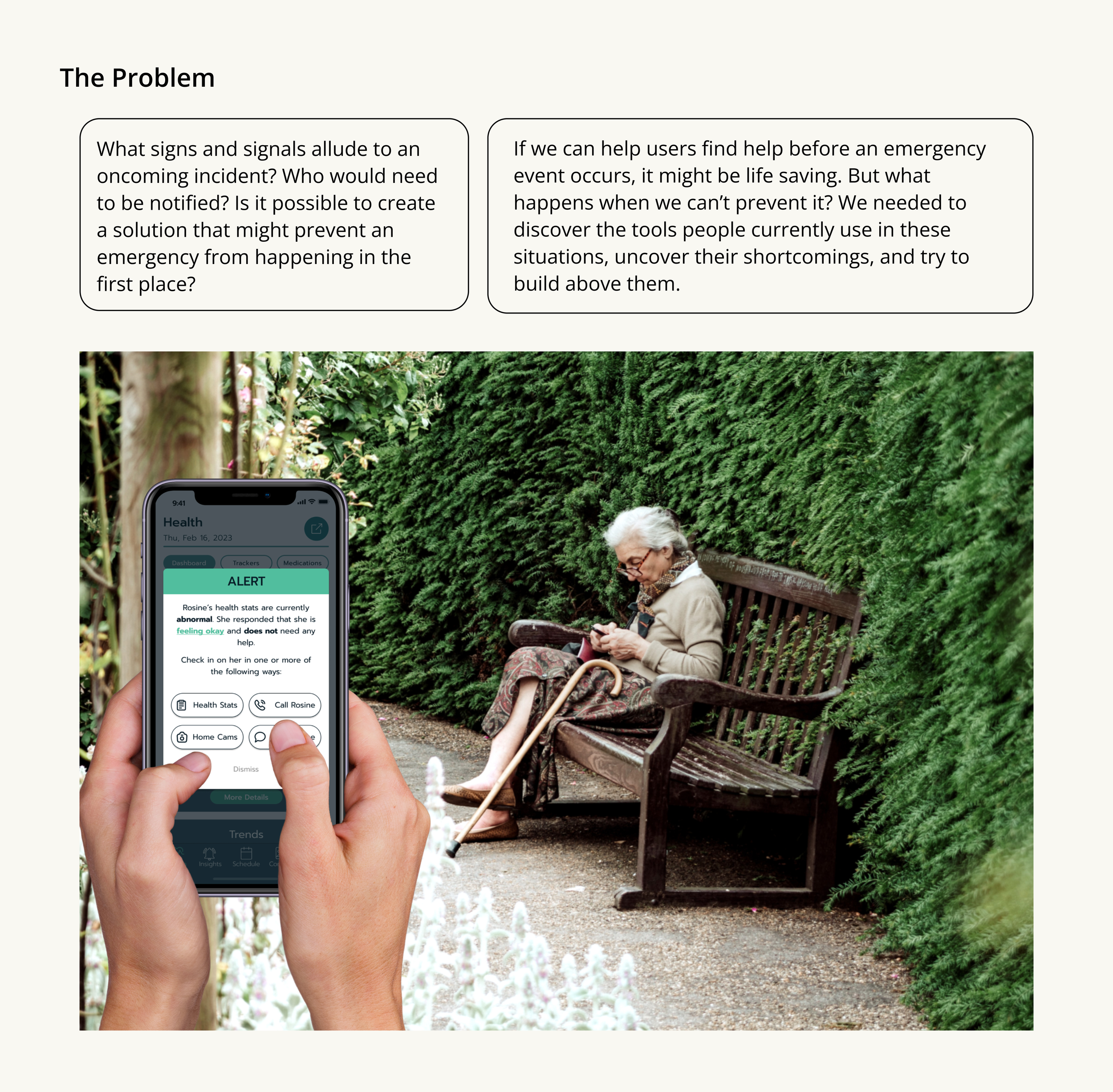
A person holding a smartphone with a health app showing an alert about abnormal health stats in front of an elderly woman sitting on a park bench.
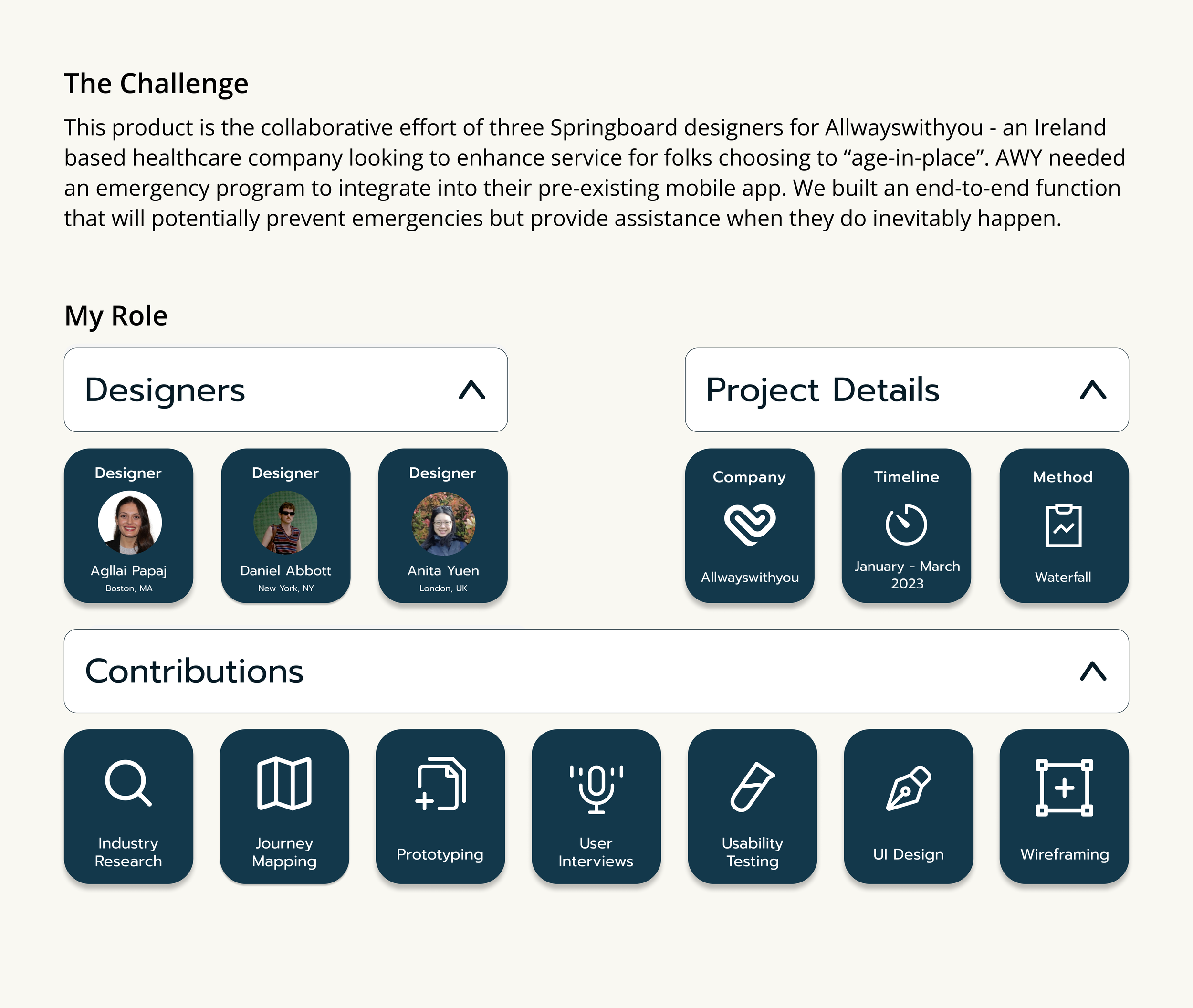
A webpage with sections titled 'The Challenge', 'My Role', and 'Contributions' displaying text and icons related to a collaborative project design process, including team member profiles and project details.
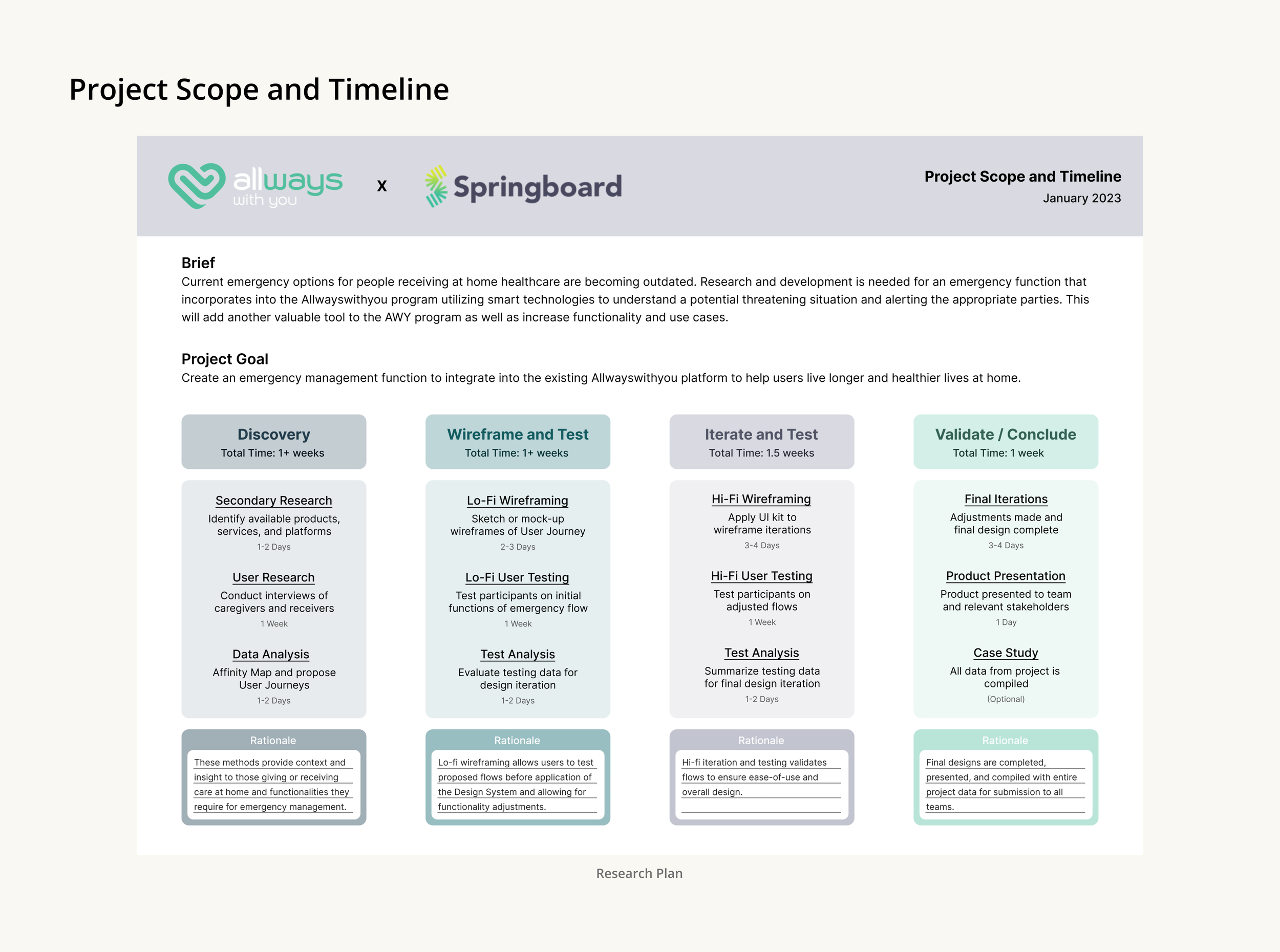
A research plan titled 'Project Scope and Timeline' detailing phases of development from discovery to case study, with timelines and descriptions for each stage.
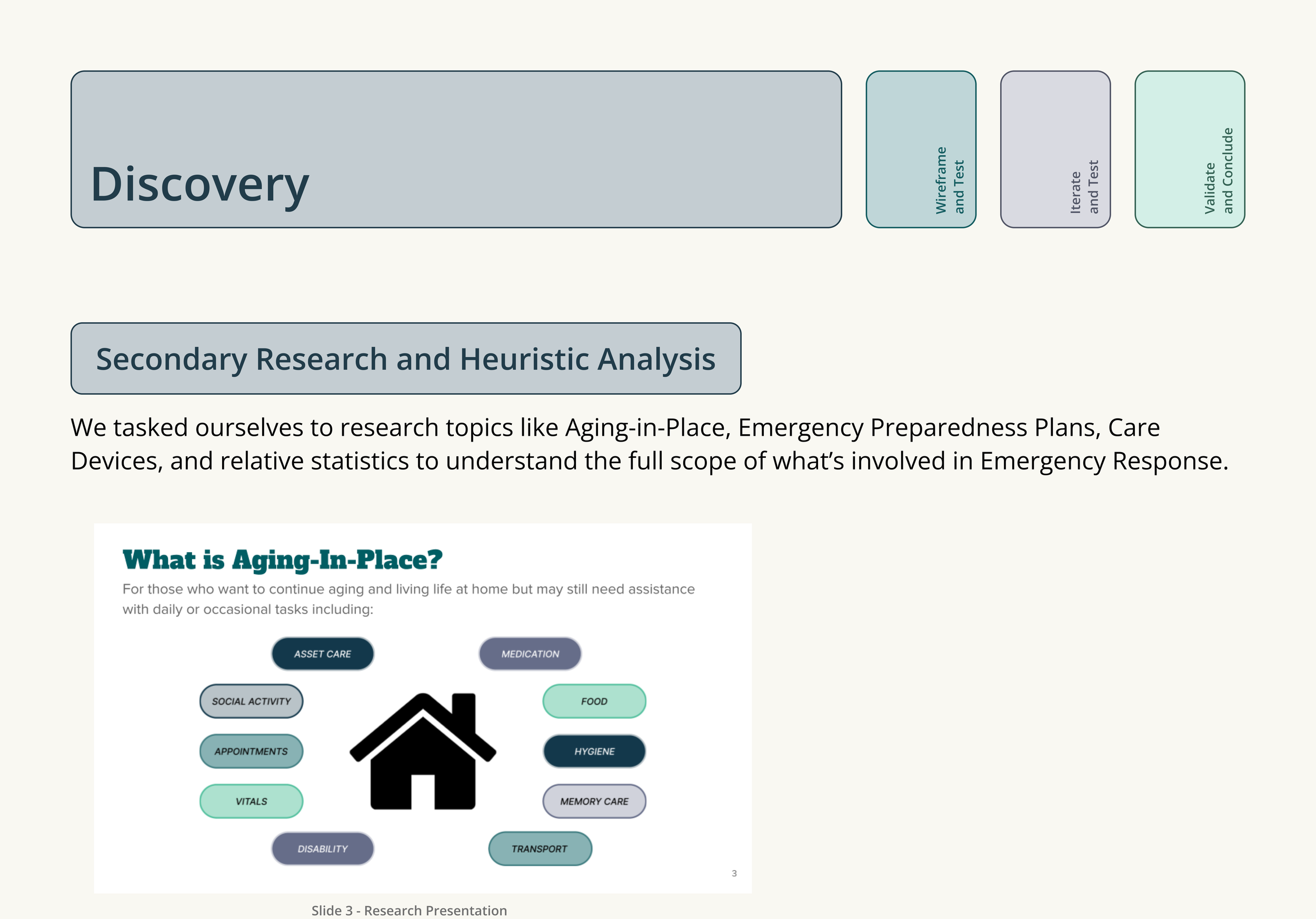
A research presentation slide with a flowchart and text discussing topics like discovery, secondary research, heuristic analysis, and emergency response.
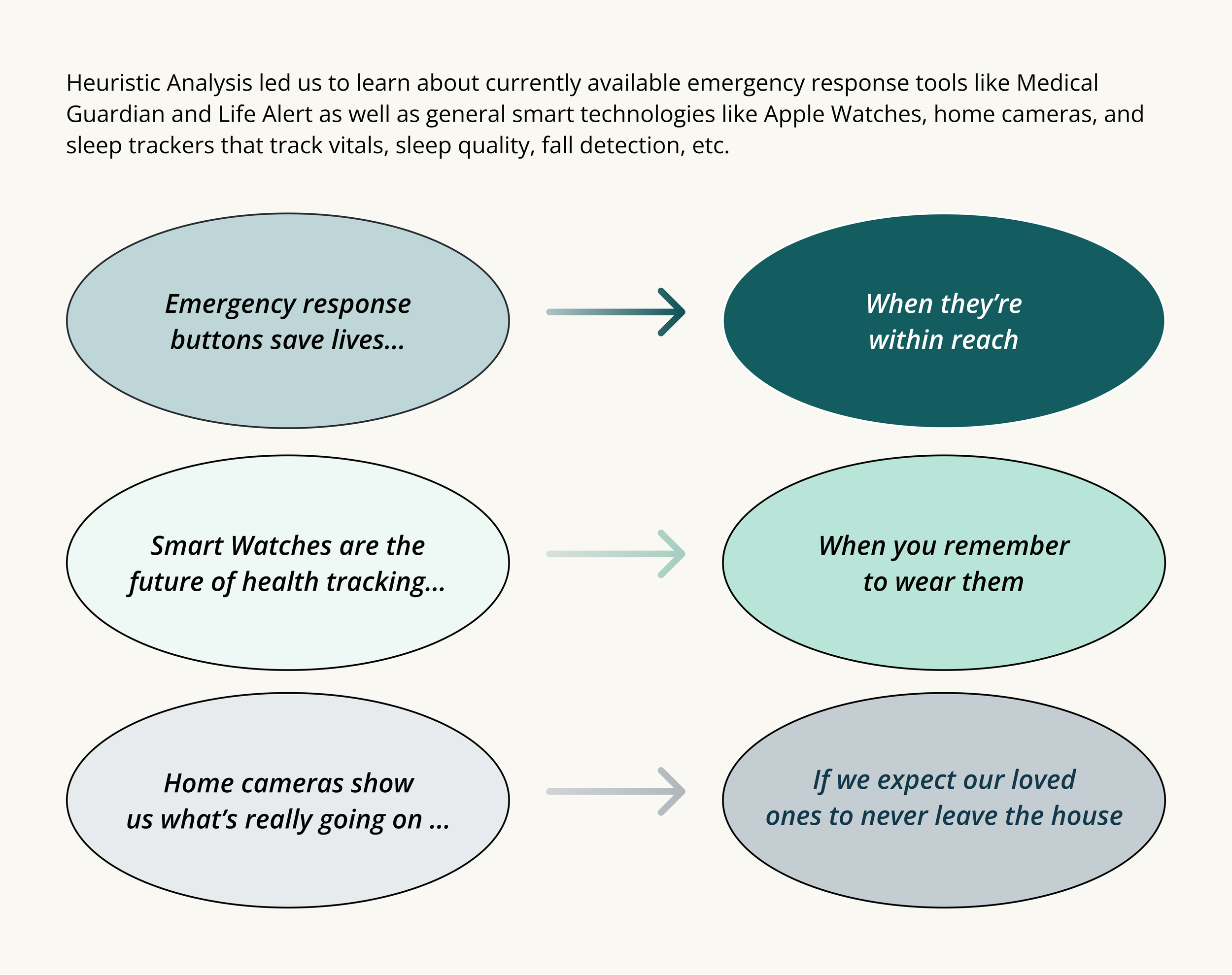
A flowchart diagram with text boxes connected by arrows explaining emergency response tools, health tracking, and home cameras for safety and monitoring.
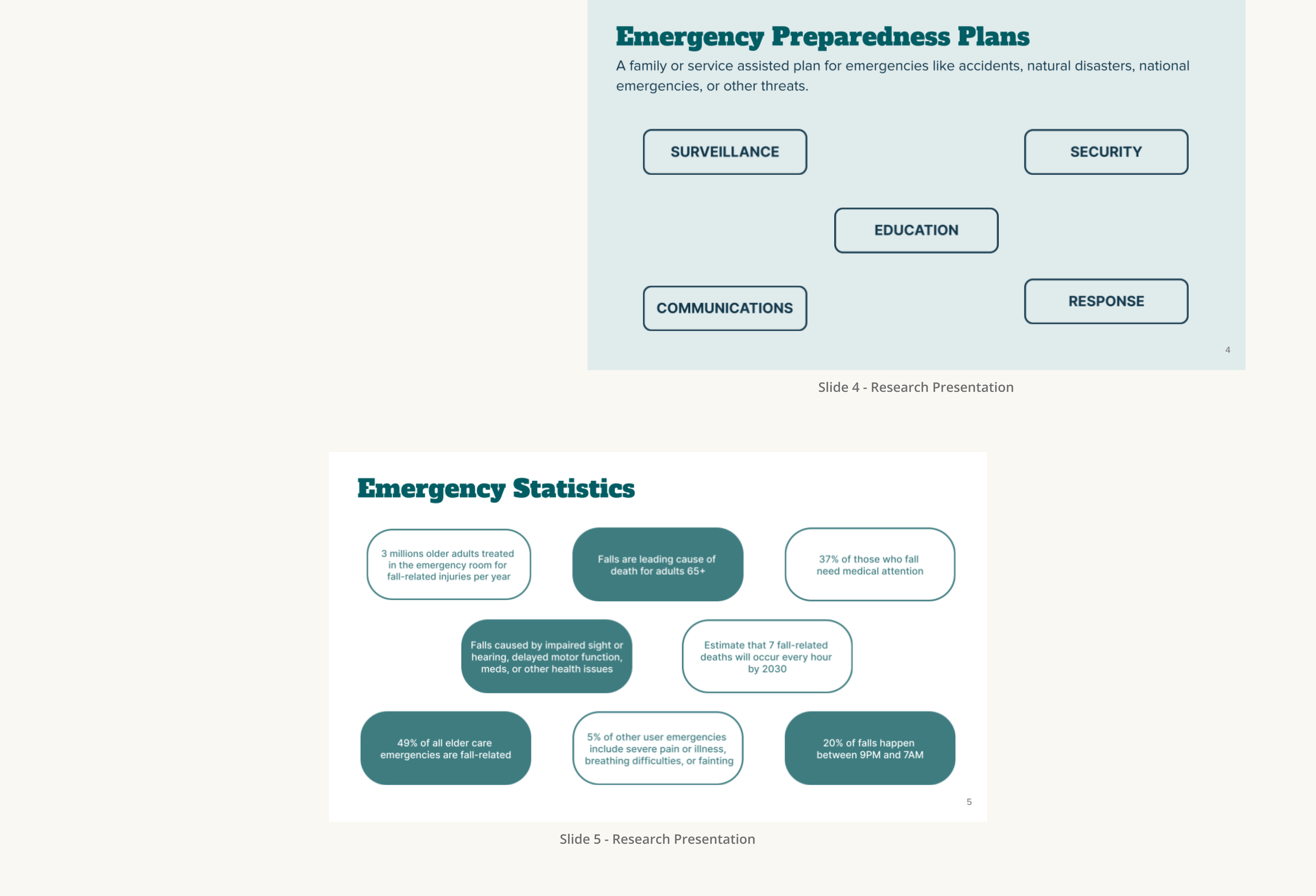
Slide titled 'Emergency Preparedness Plans' with categories: Surveillance, Security, Education, Communications, and Response. Contains research presentation details at the bottom.
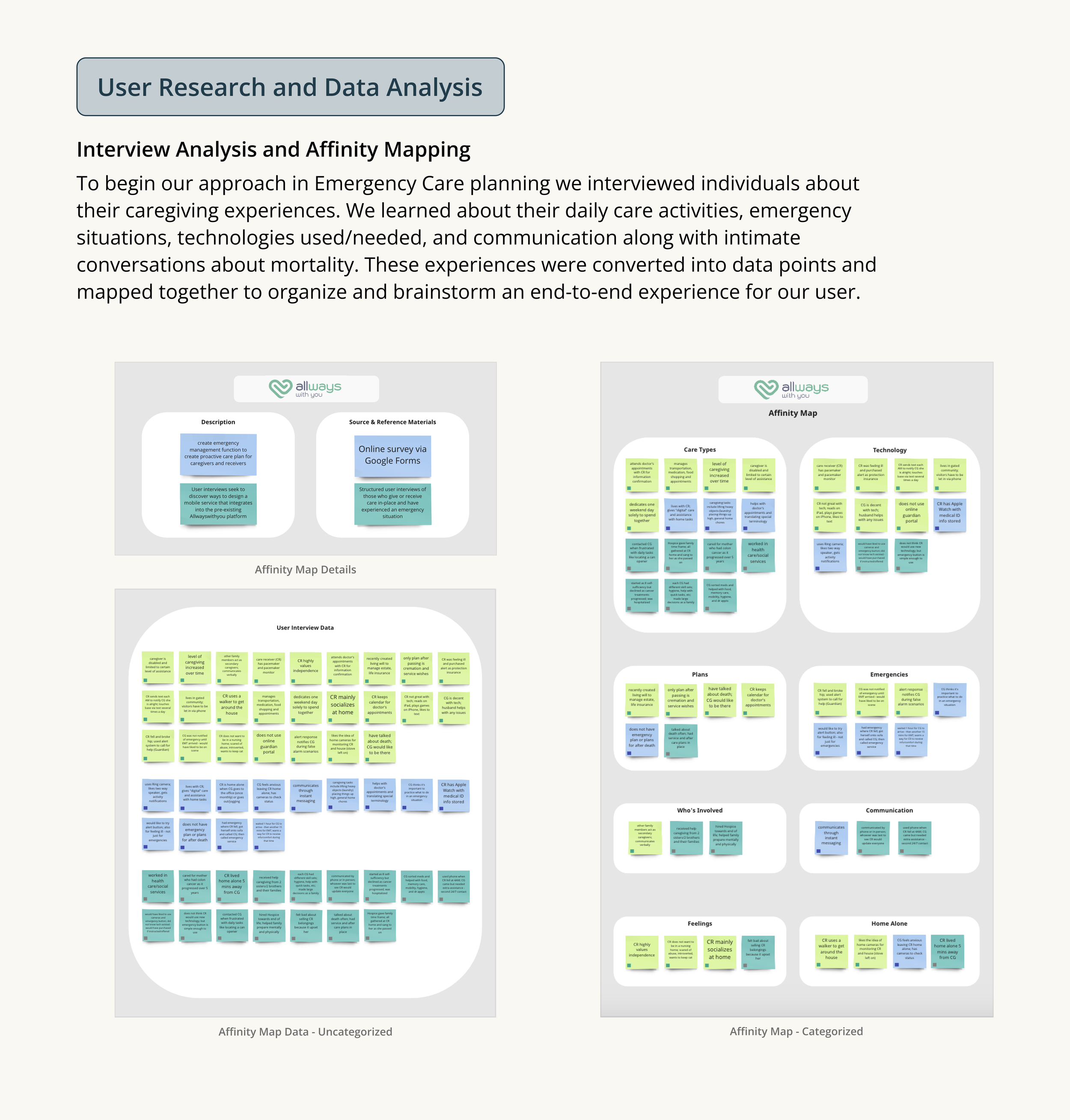
A detailed infographic displaying information about user research and data analysis related to emergency care planning, including affinity maps, categorized and uncategorized data, and insights about who is involved and communication methods.
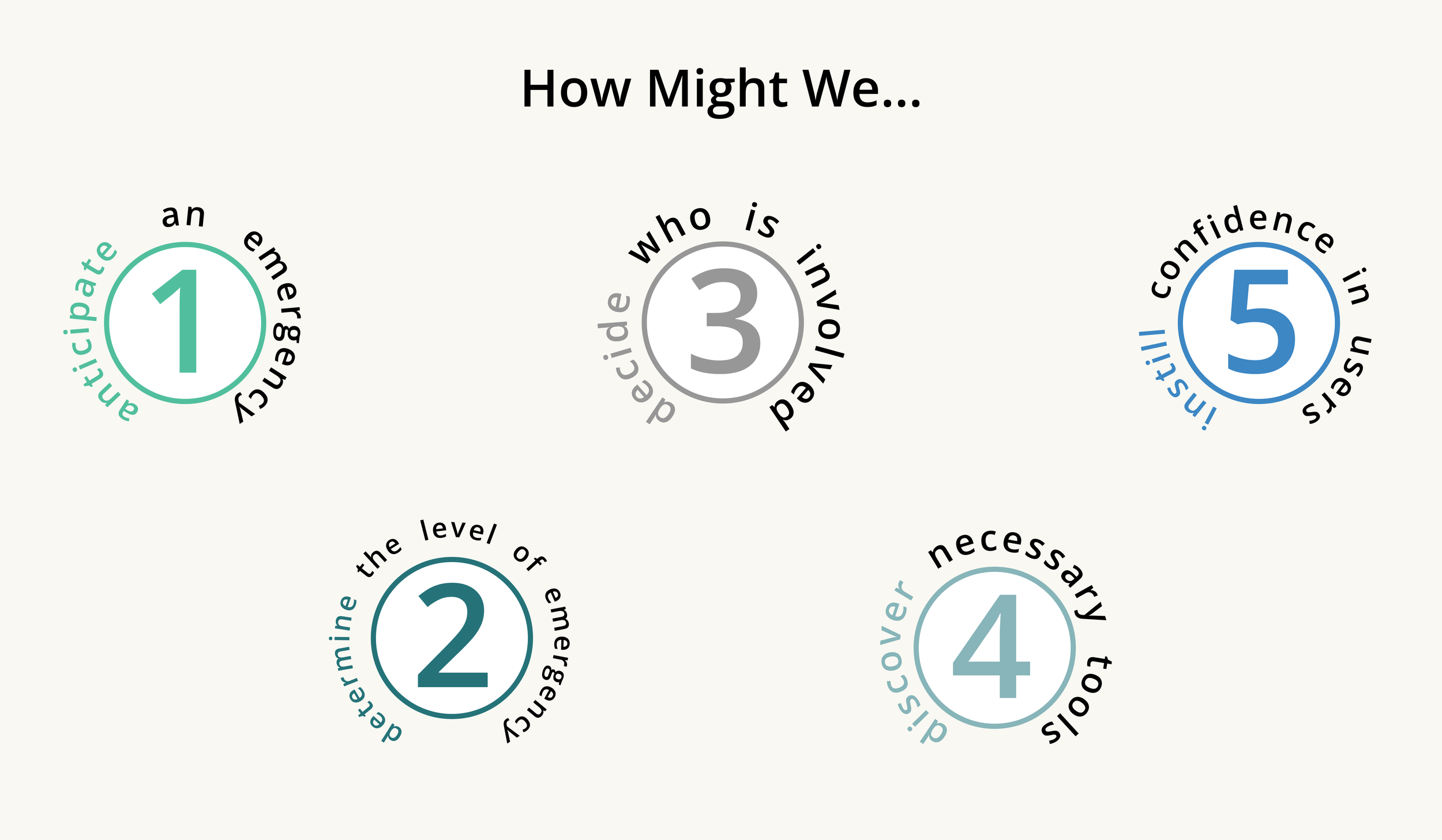
Infographic titled "How Might We..." with numbered sections and encouraging statements.
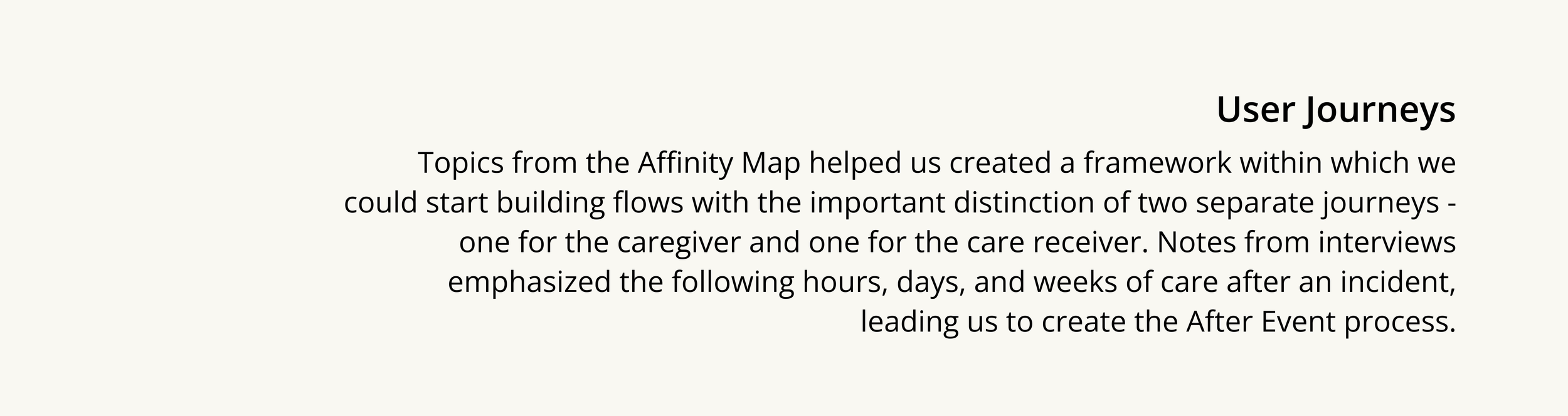
Title 'User Journeys' with a paragraph explaining the importance of affinity maps in developing caregiver and care receiver journeys and the subsequent creation of the After Event process.
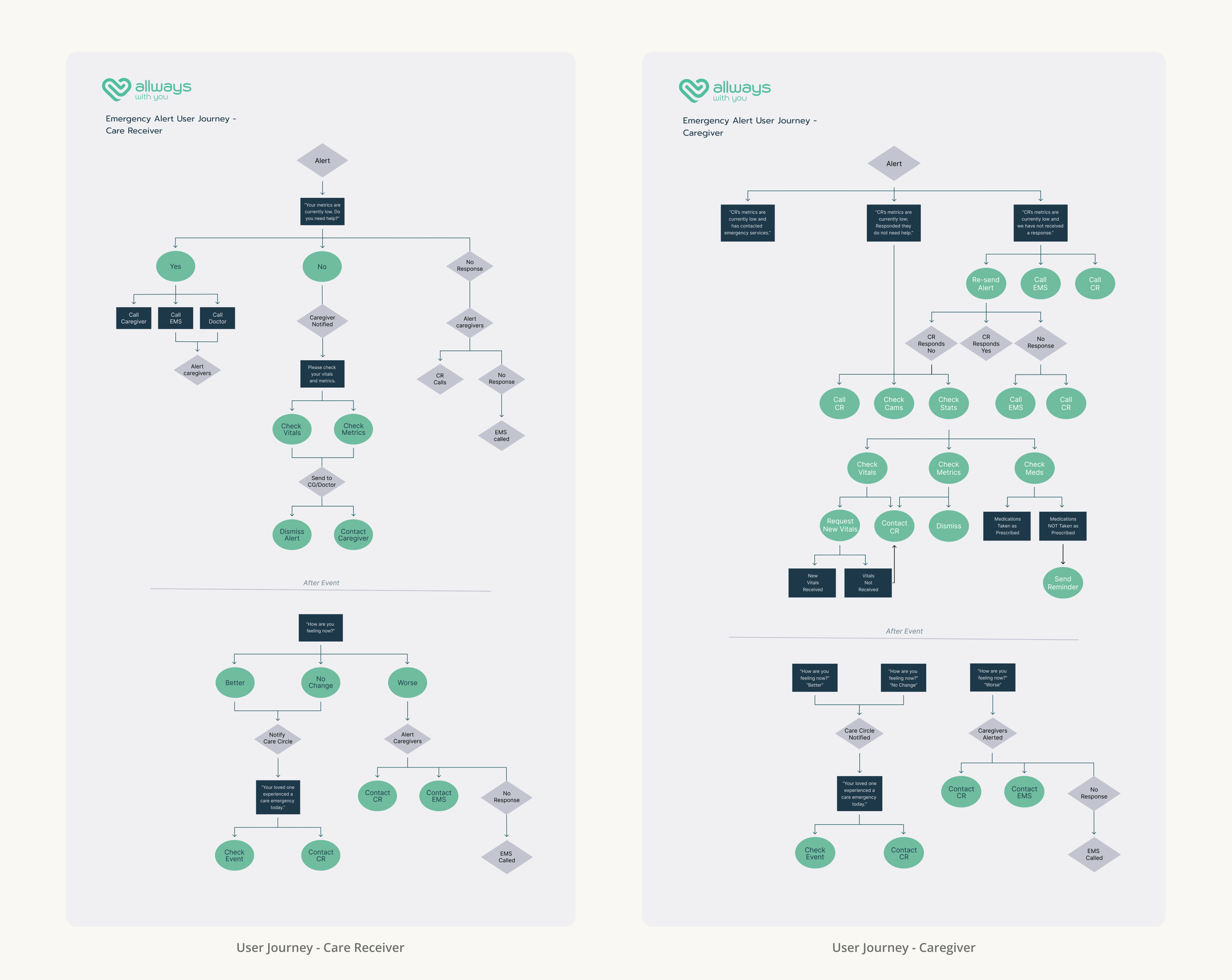
Flowcharts titled 'Emergency Alert User Journey' for Care Receiver and Caregiver, illustrating decision paths based on alert responses, with text boxes and arrows indicating steps and actions.
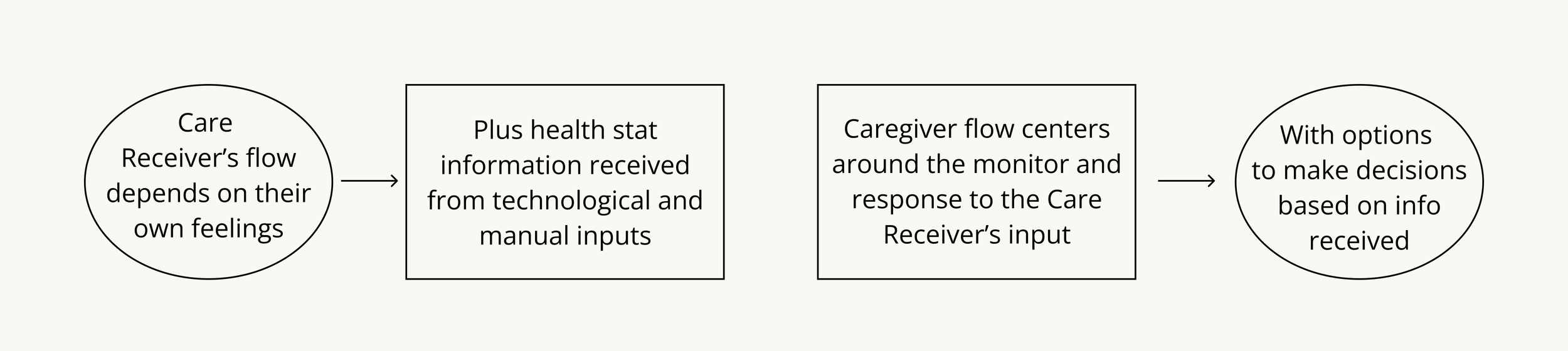
Flowchart illustrating Care Receiver's flow depending on feelings, health data received from tech/manual inputs, caregiver flow centers responding to input, and decision-making options.
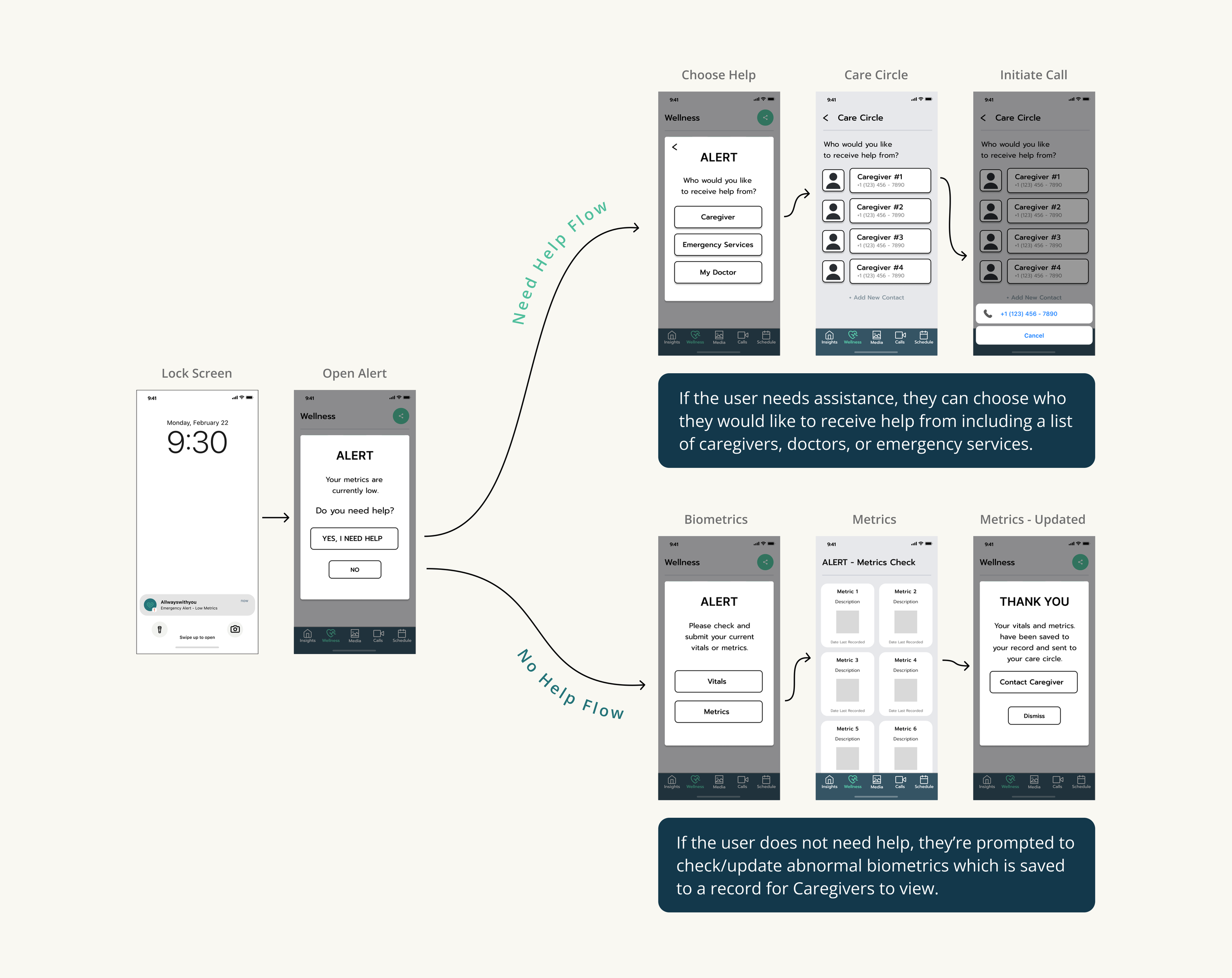
Flowchart illustrating steps to choose help contacts and manage health metrics in a wellness app, including screens for lock, alert, help flow, biometric metrics, and caregiver contact information.
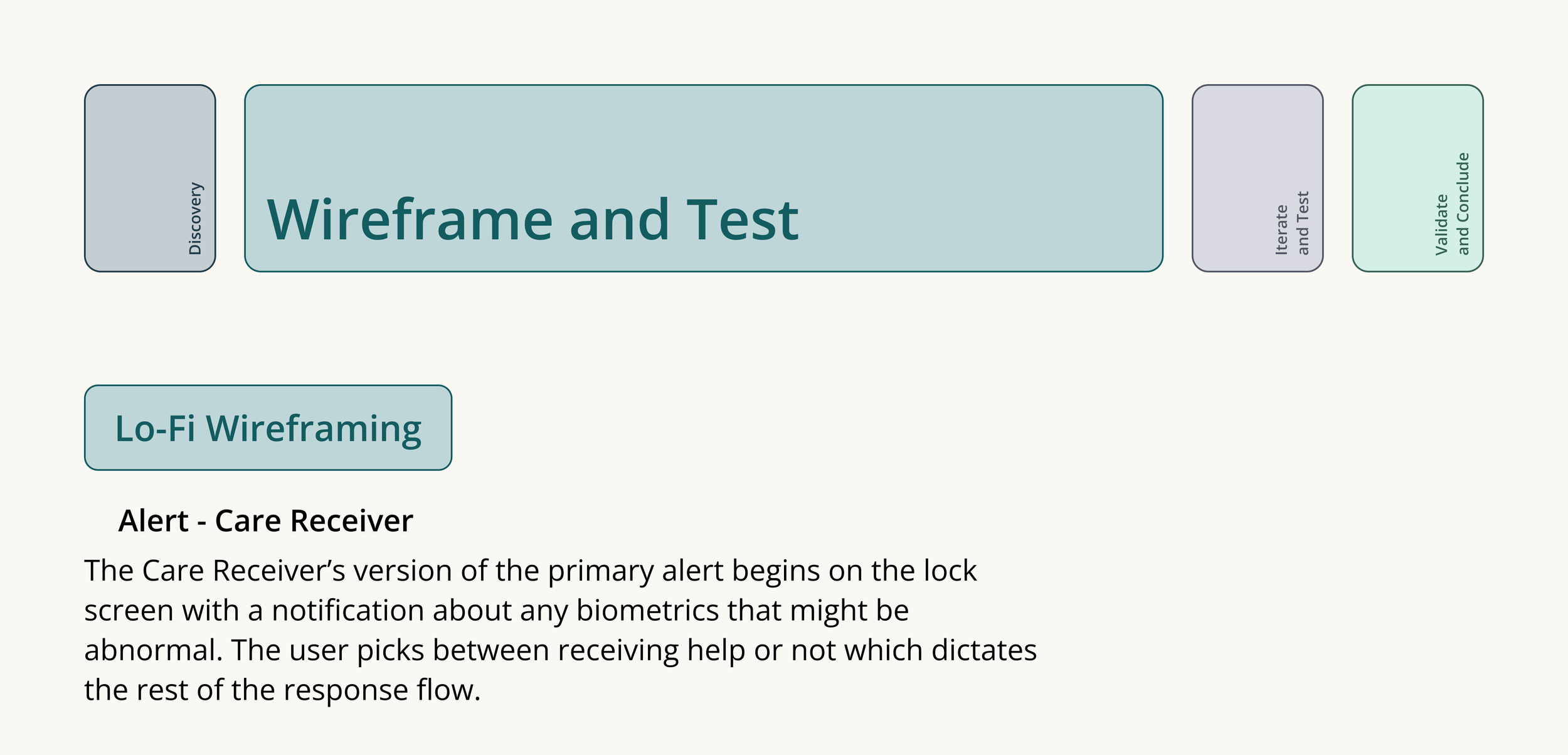
Flowchart of wireframe and testing process including steps: Discover, Wireframe and Test, Iterate and Test, Validate and Conclude. Additional text describes a tool called Lo-Fi Wireframing and a warning about care receivers being notified for biometric abnormalities.
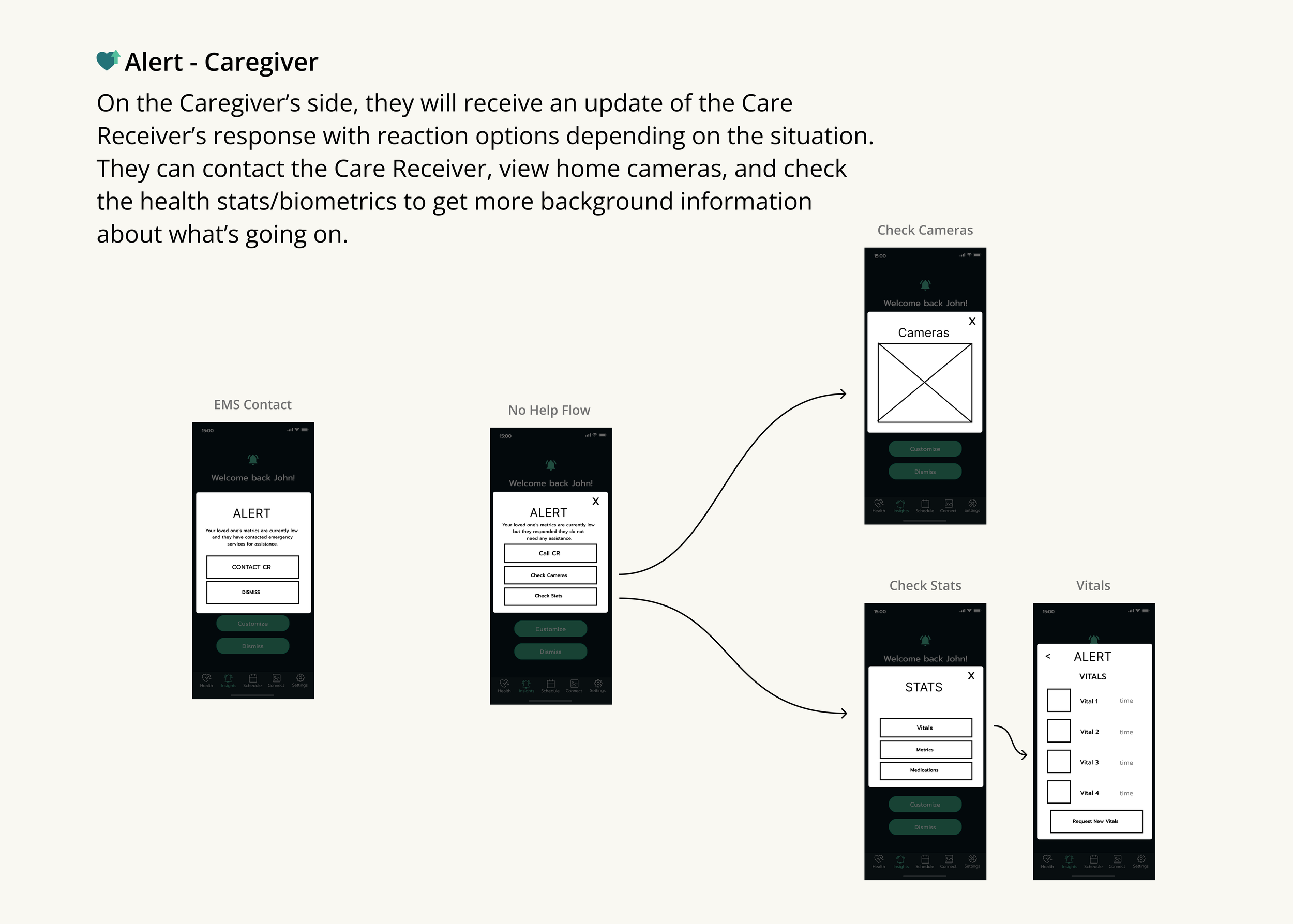
Flowchart of a mobile app interface for caregiver notifications, showing screens for alerts, camera checks, statistics, and vital signs with navigation menu at the bottom.
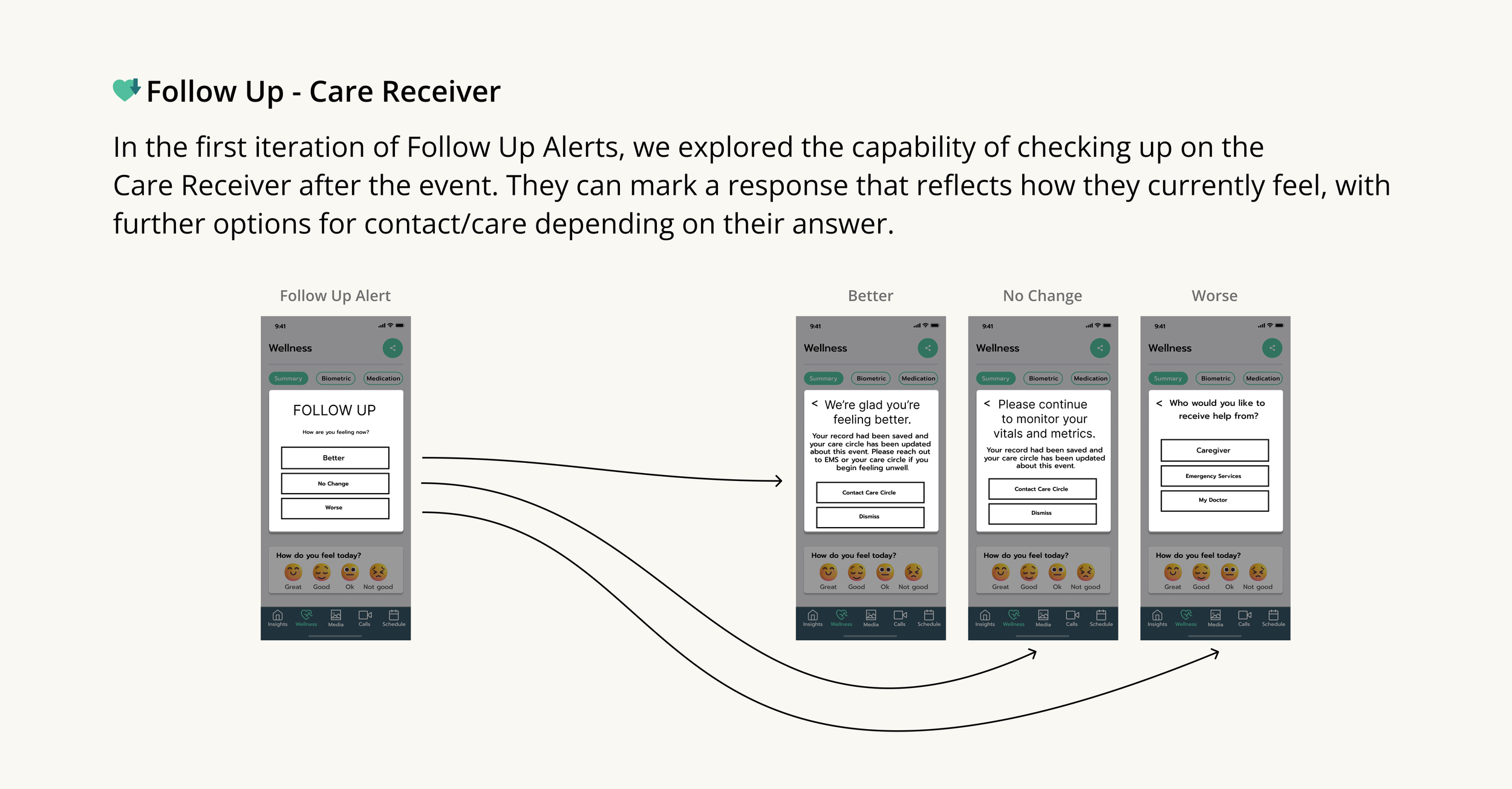
A screenshot of a mobile app interface showing a 'Follow Up - Care Receiver' section with different response options: Better, No Change, and Worse. The app appears to be related to wellness or healthcare, with tabs labeled Summary, Biometric, and Medication at the top. The interface includes a question about how the user feels today, accompanied by emoji options to select. The image shows different mockups or versions of the app interface, including some feedback messages and options for contacting care or emergency services.
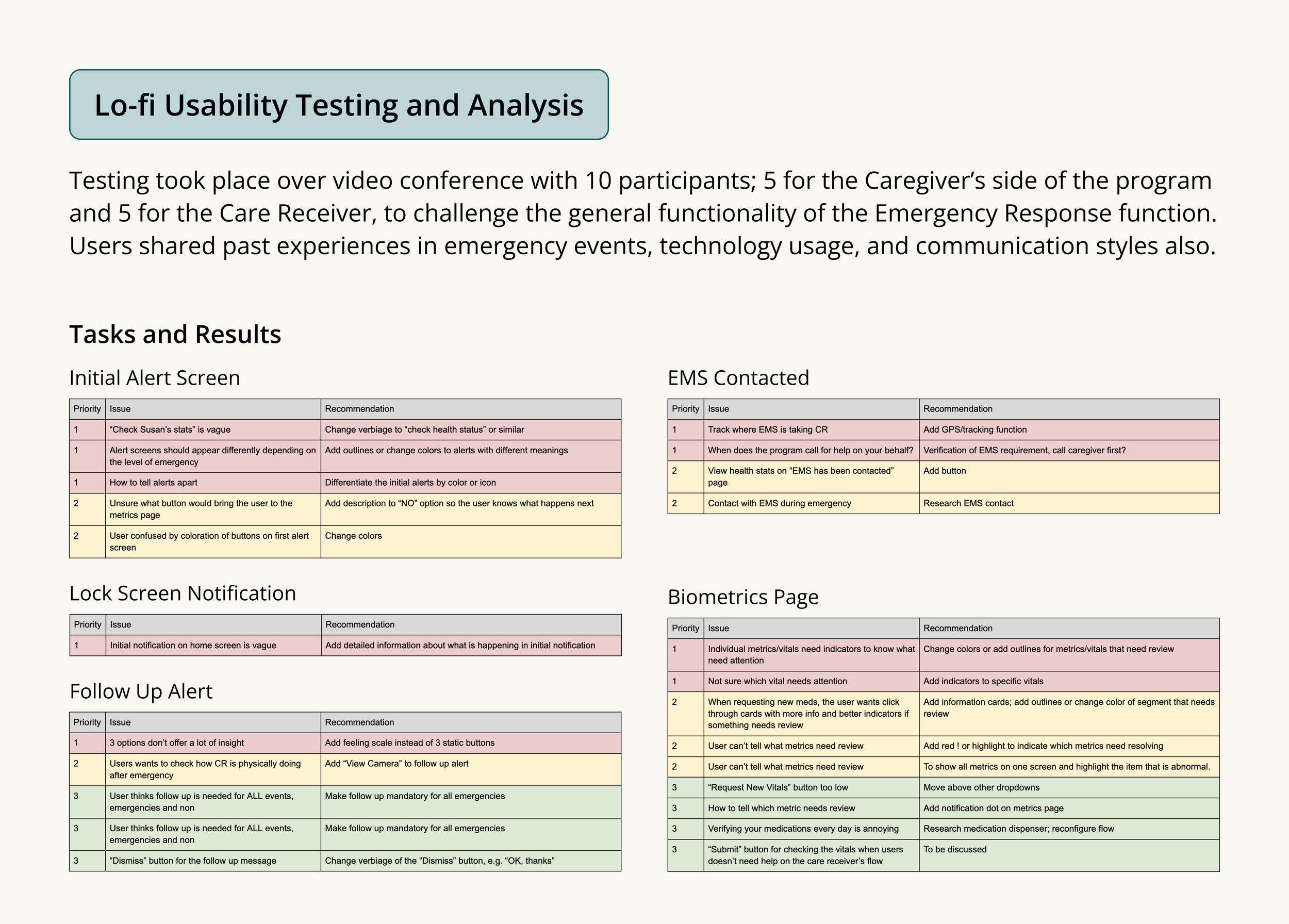
A detailed document with multiple sections including Lo-fi Usability Testing and Analysis, Tasks and Results, Lock Screen Notification, Follow Up Alert, Biometrics Page, and EMS Contacted, with various issue and recommendation tables.
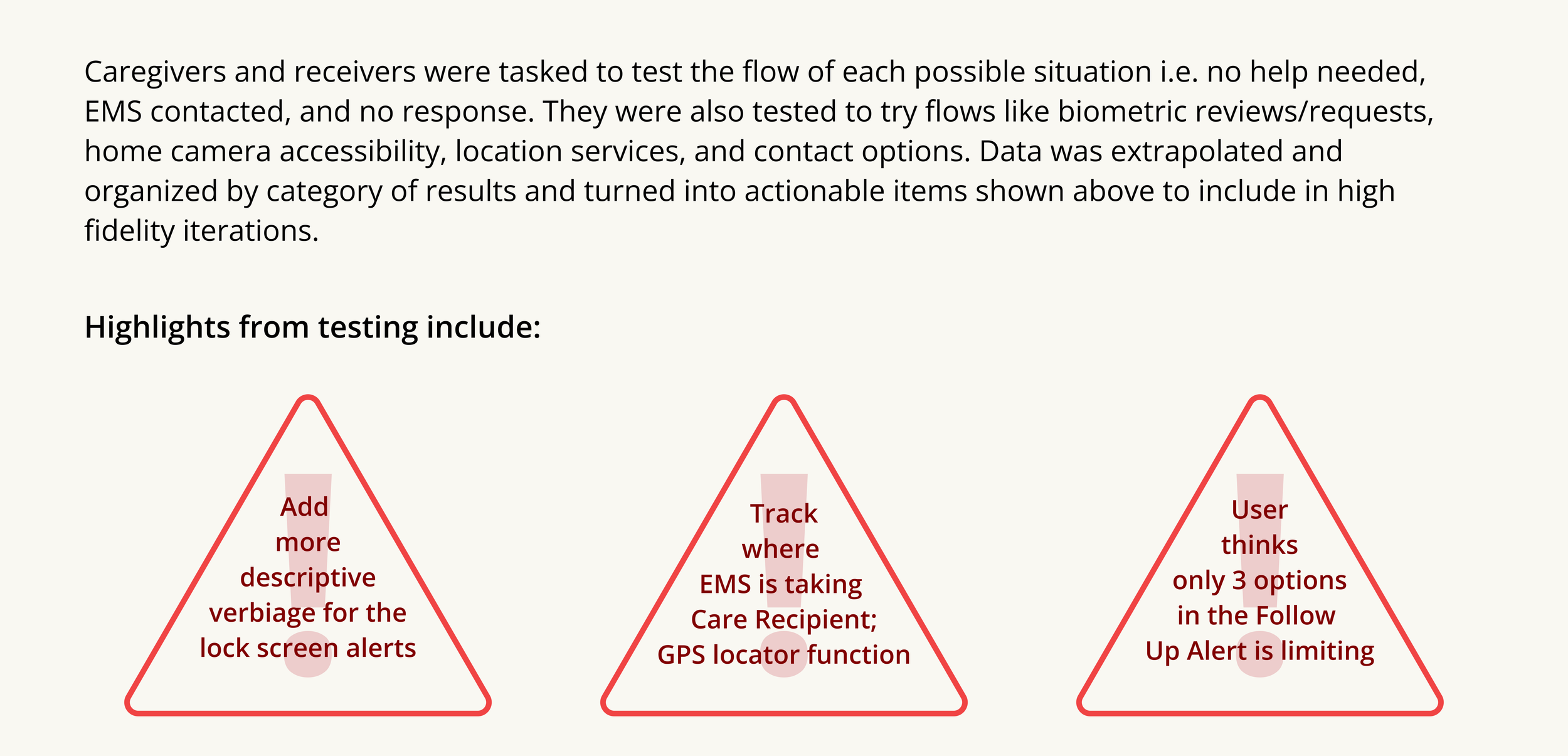
Screenshot of a presentation slide discussing testing scenarios for caregivers and receivers, with three red triangular highlights containing text about lock screen alerts, GPS location tracking, and alert limitations.
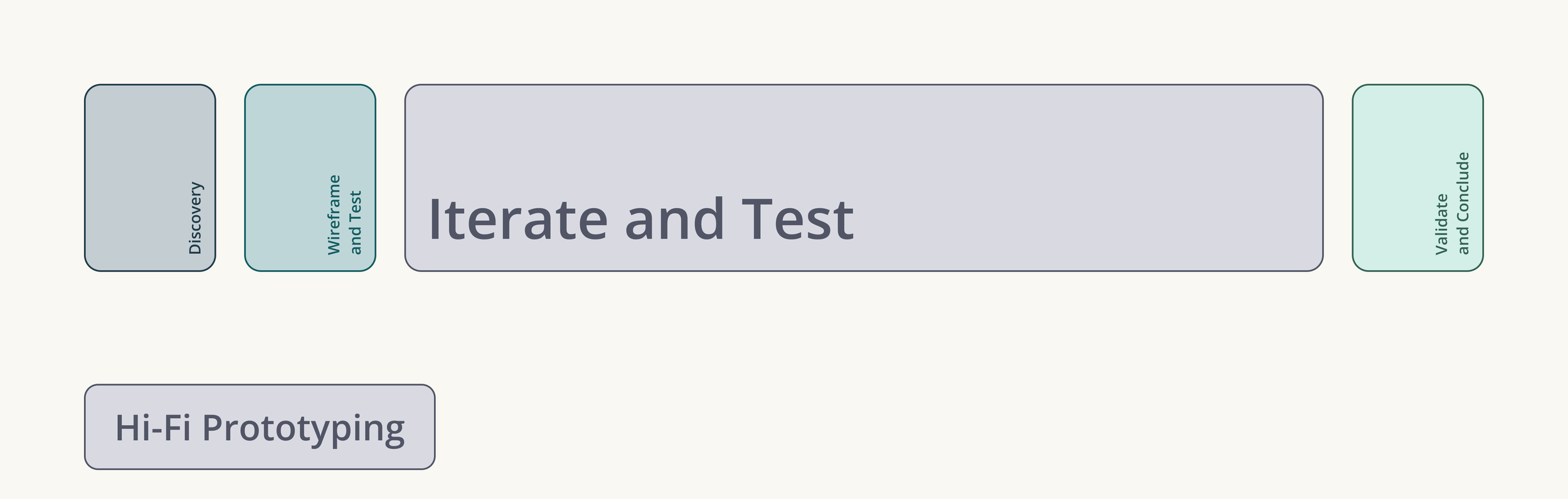
Flowchart illustrating a process with five stages: Discover, Wireframe and Test, Iterate and Test, Validate and Conclude, and Hi-Fi Prototyping.
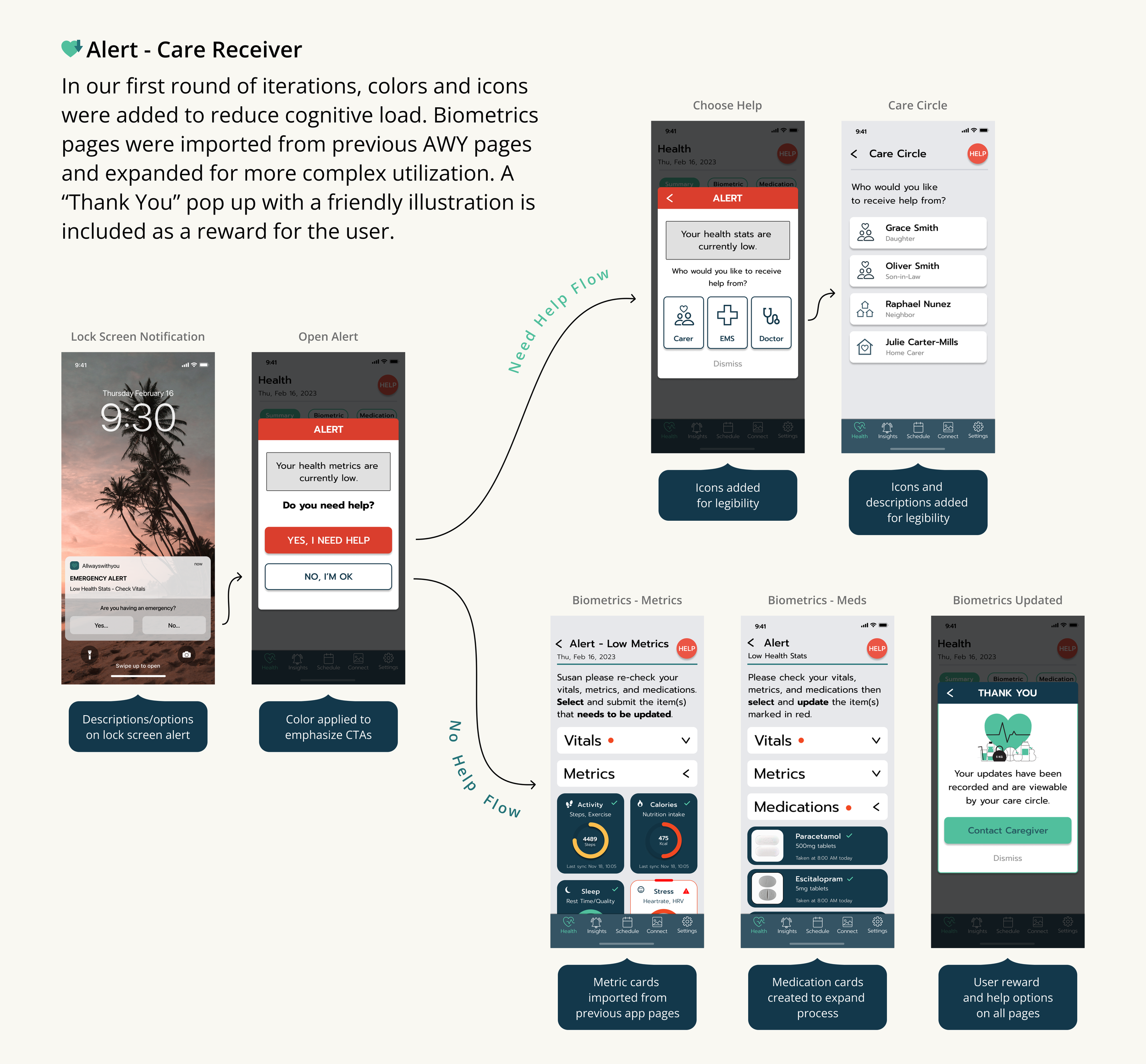
A digital presentation slide explaining a process for adding colors and icons to reduce cognitive load in an app interface, with example screens showing alert notifications, help options, biometric metrics, and a success message.
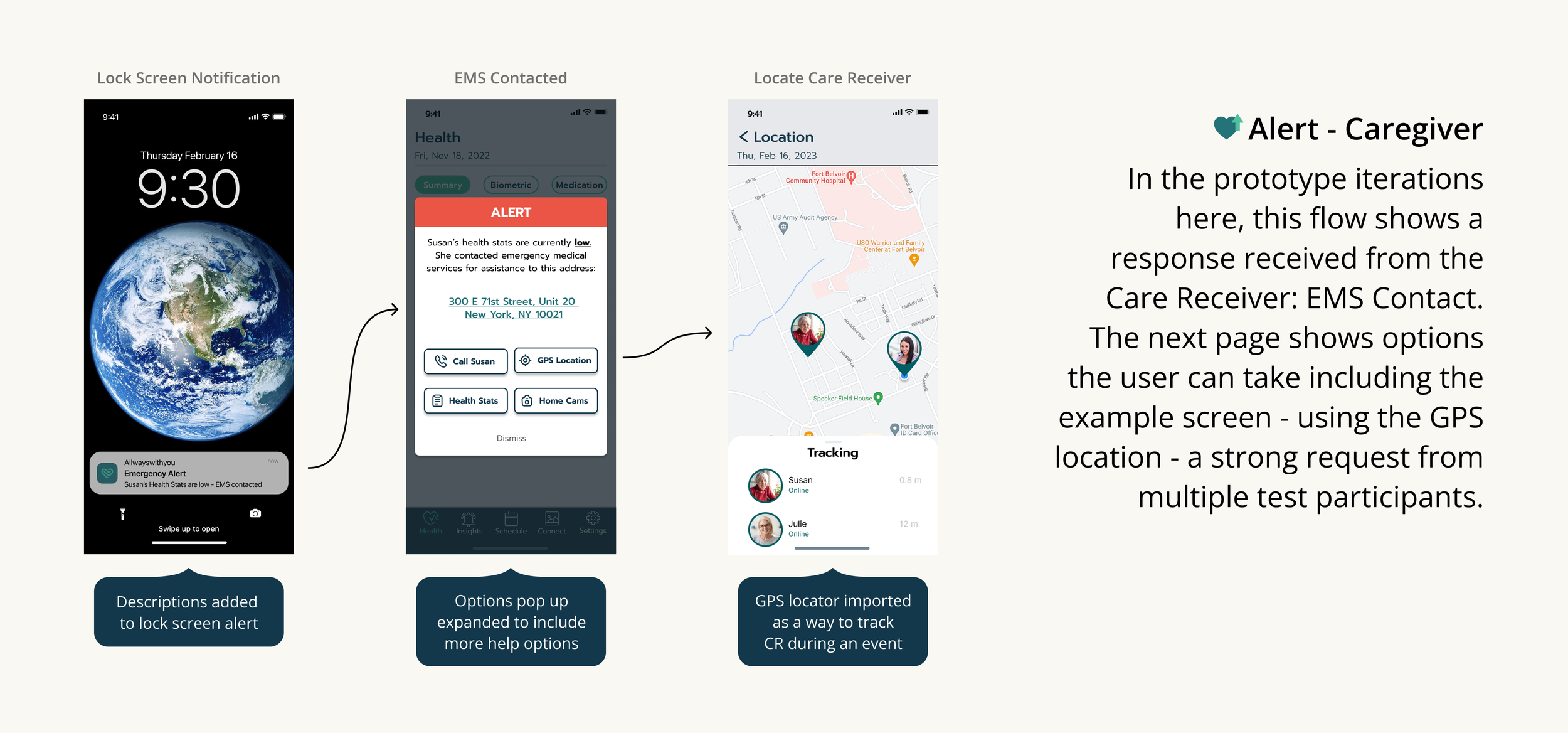
Flow diagram showing prototype iterations for an alert-caregiver system. It includes screens: lock screen with Earth image and emergency alert notification, health app with alert message and options, and GPS location tracker with map and contacts.
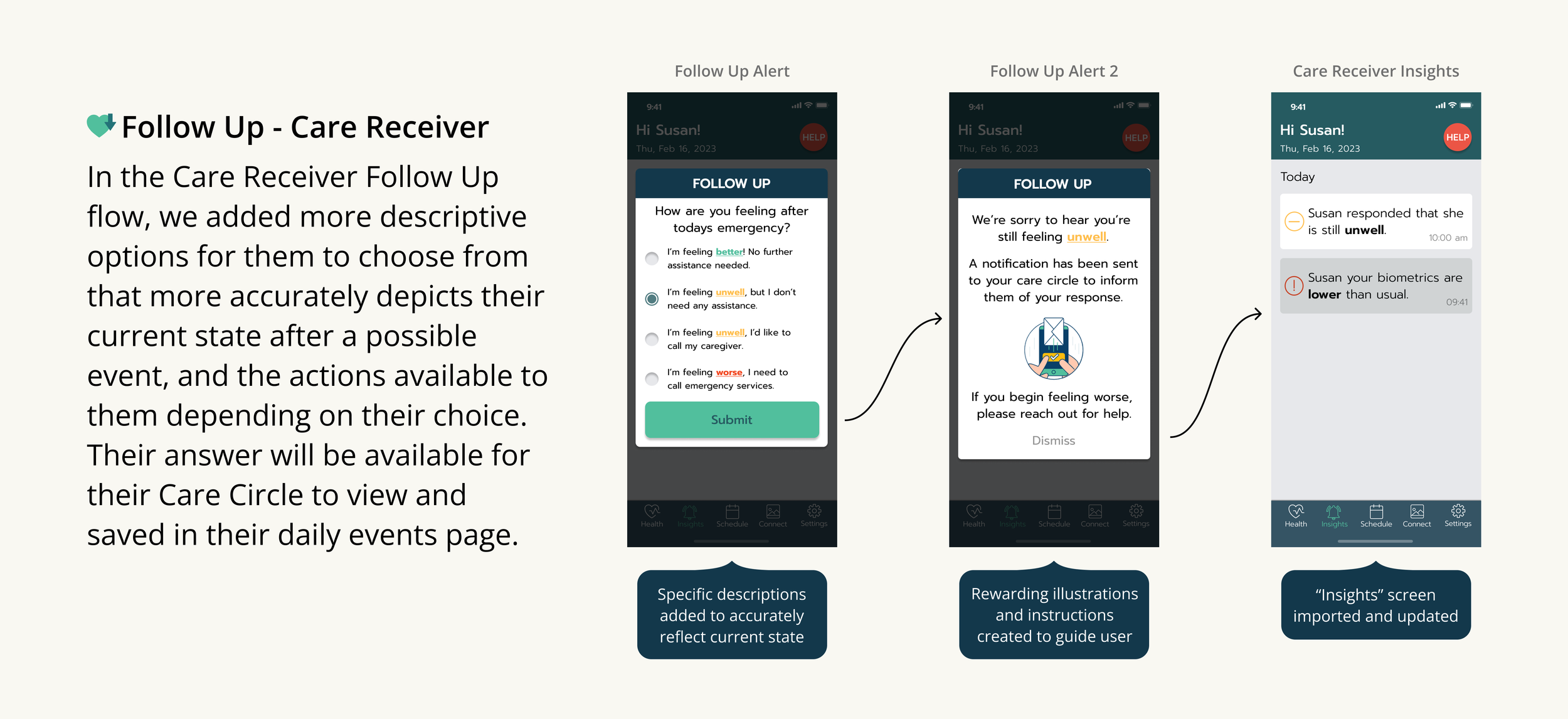
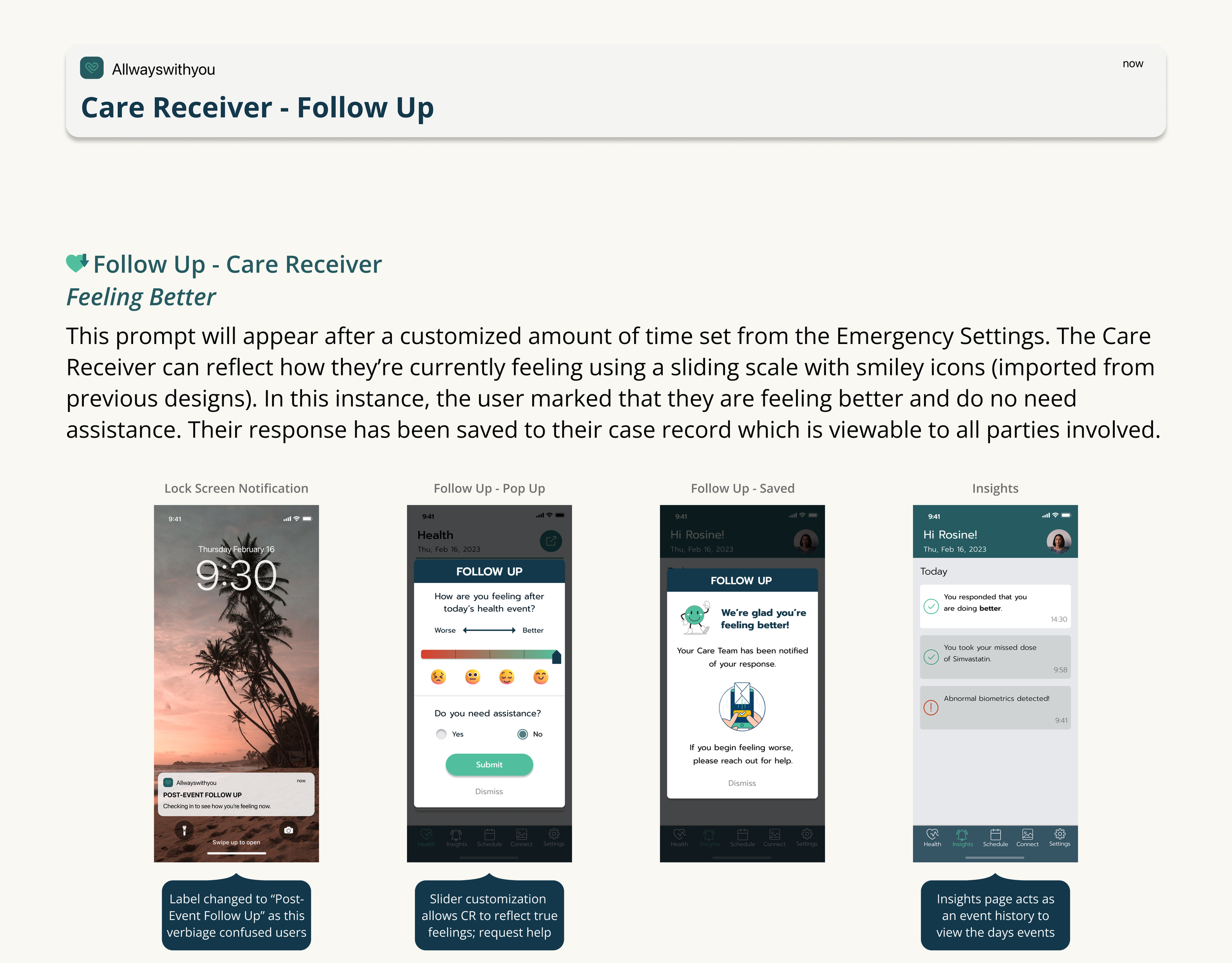
Screenshots of a mobile app showing steps for a Care Receiver follow-up process, including feeling assessments, notifications, and insights.
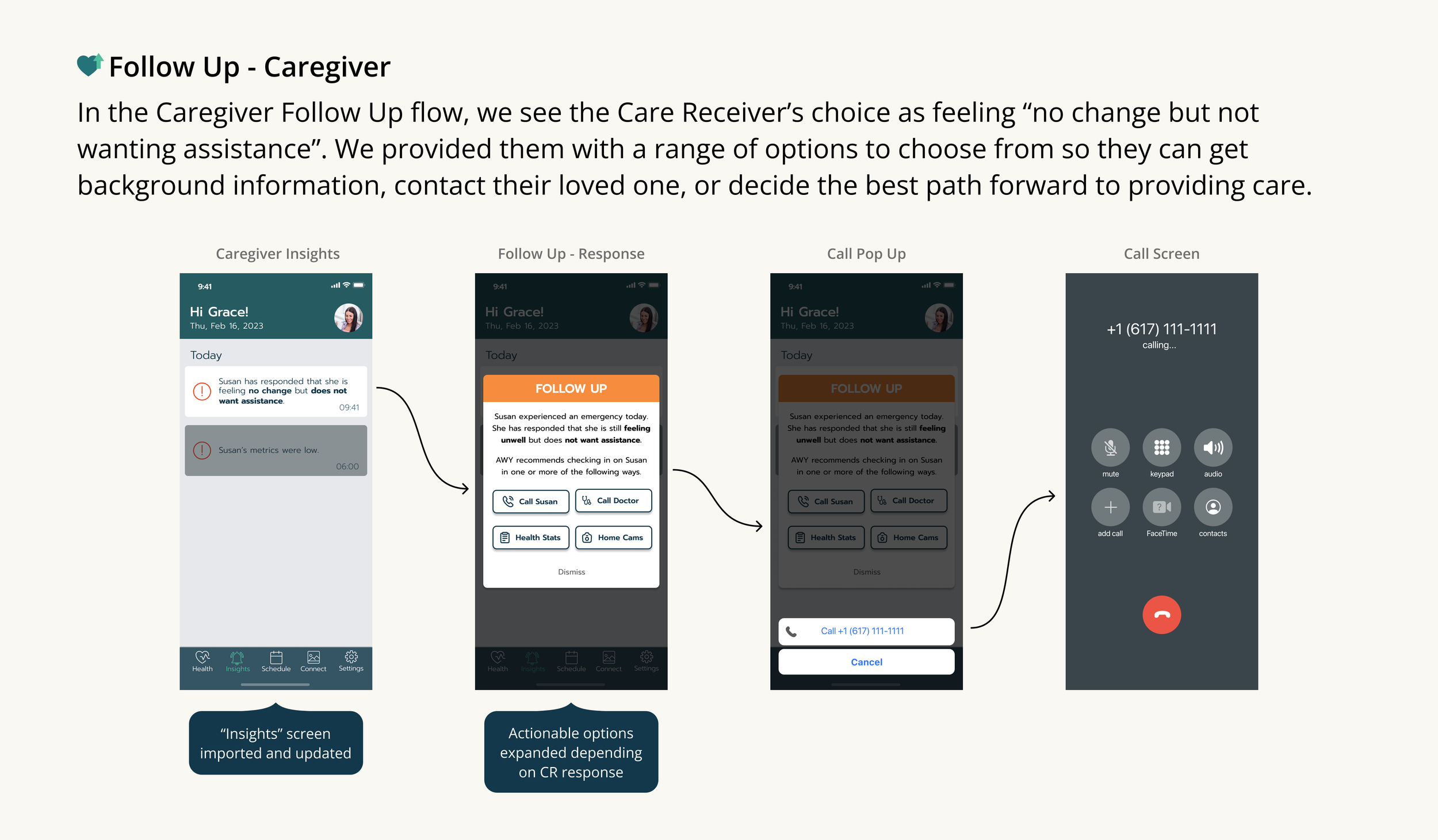
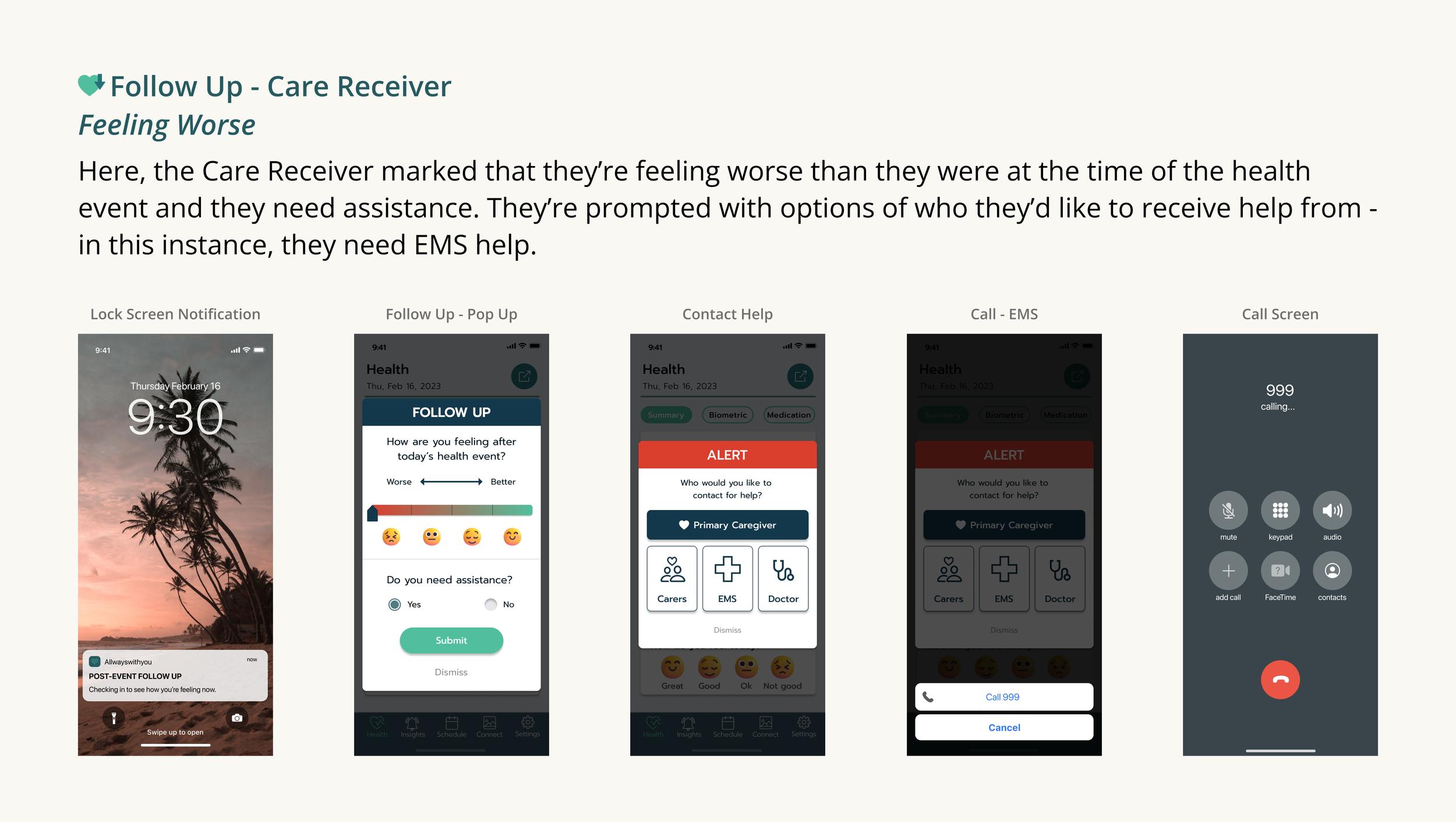
Flowchart showing a caregiver follow-up process with screenshots of a phone app, including caregiver insights, response options, and call screen with a paused call and options to mute, keypad, audio, add call, FaceTime, contacts, and end call.
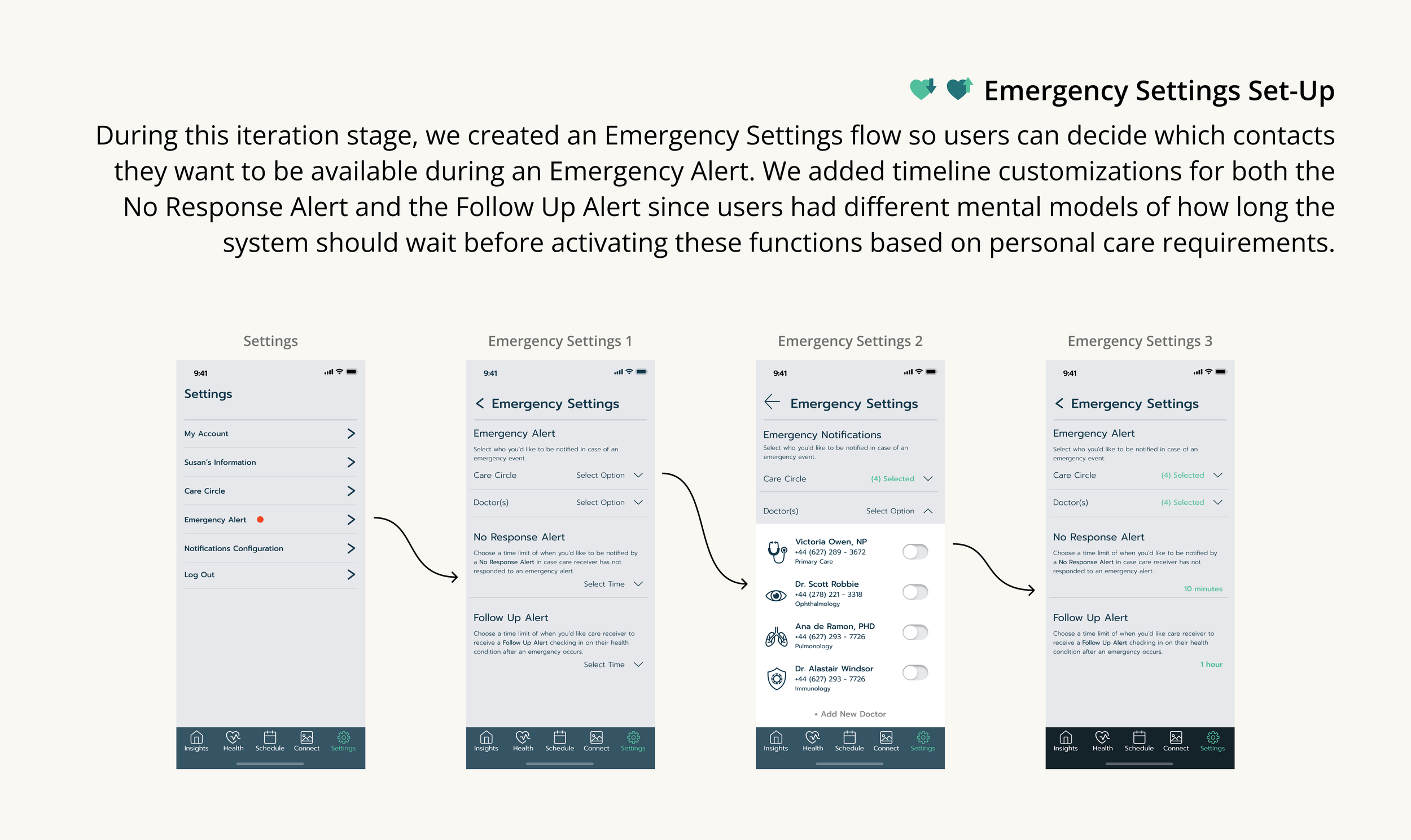
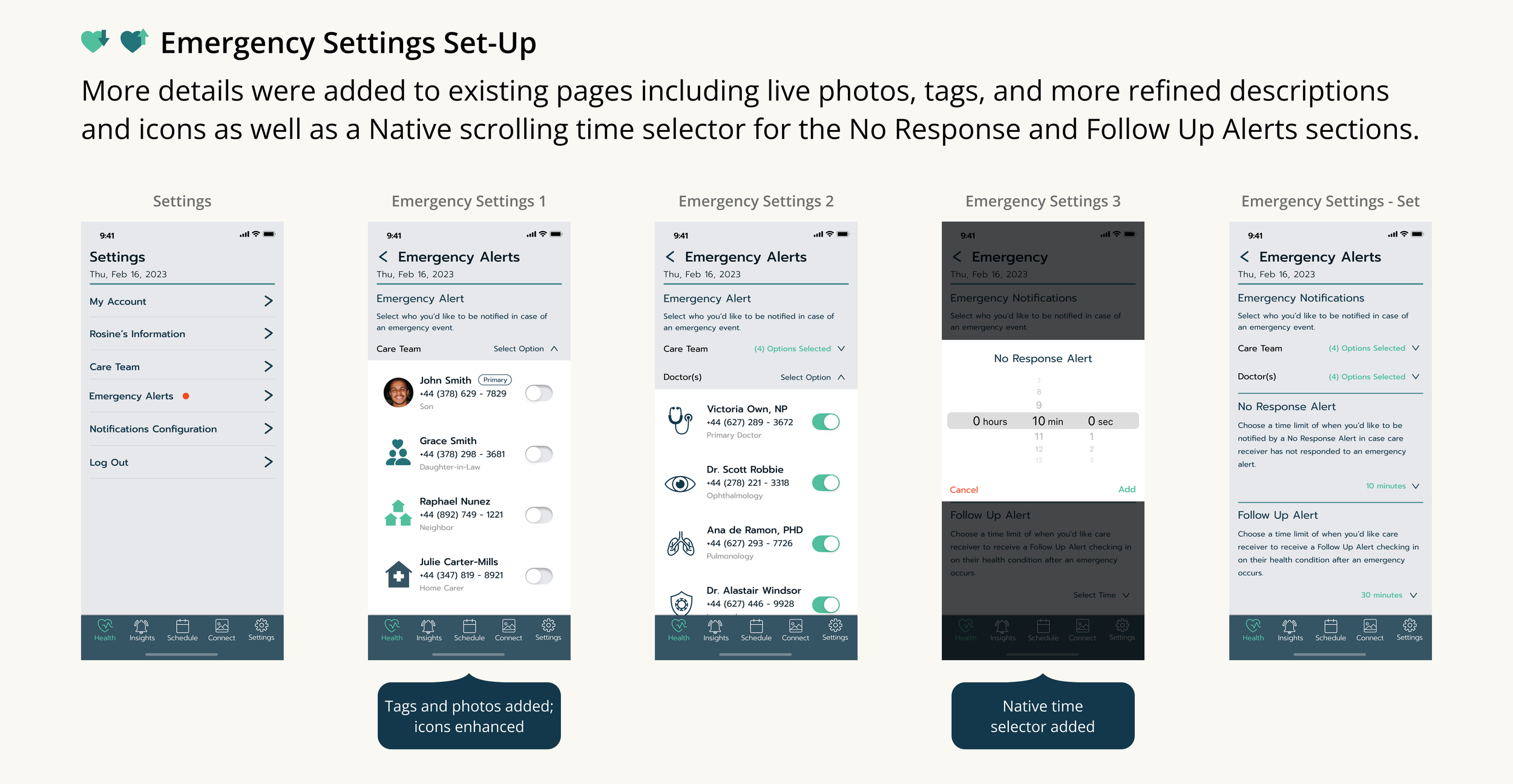
Screenshots of a mobile app interface showing steps to set up emergency alerts, including selecting contacts and notification options.
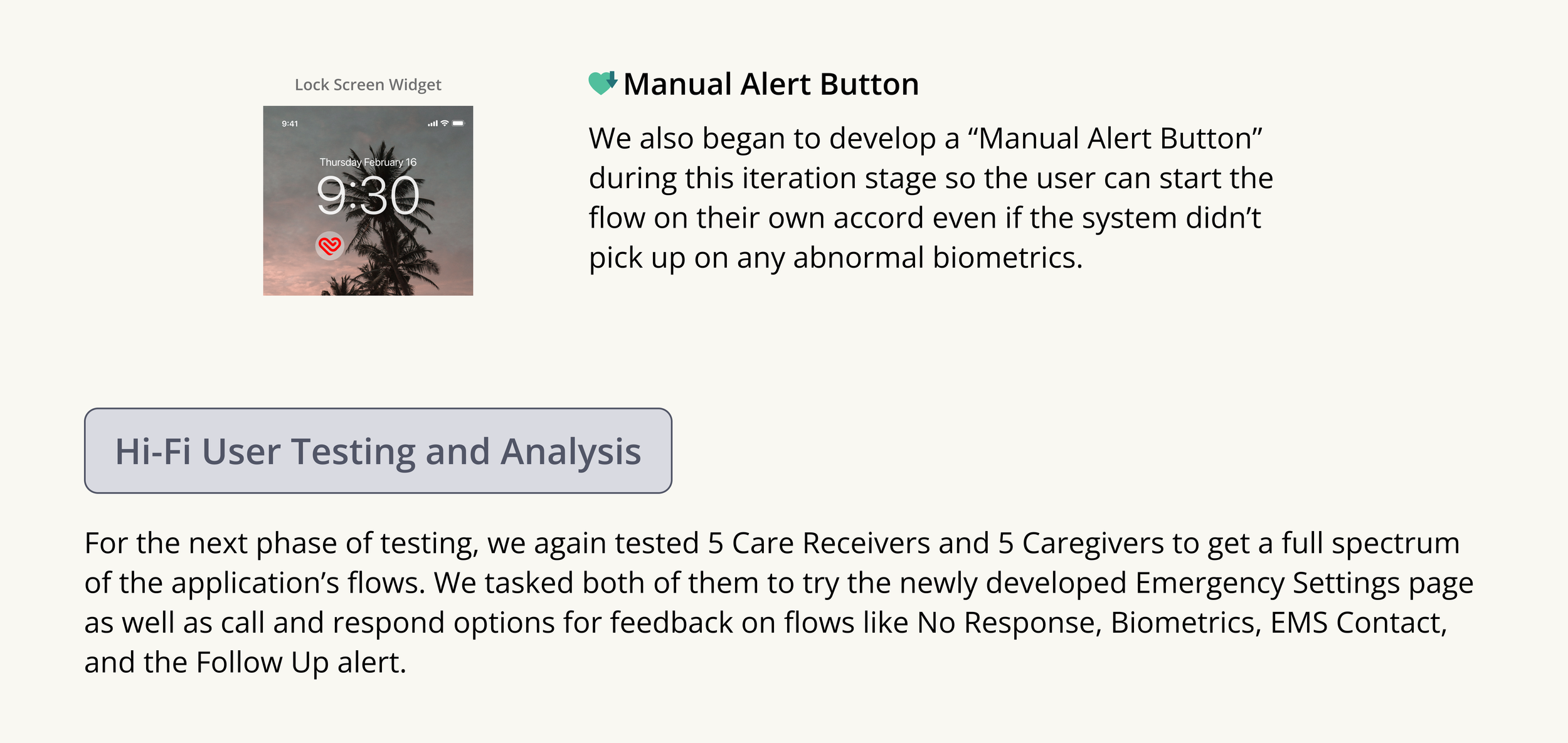
Screenshot of a mobile app interface showing a lock screen with a background image of palm trees and a sunset, the time displayed as 9:30, a small red biometric icon, and the date Thursday, February 16.
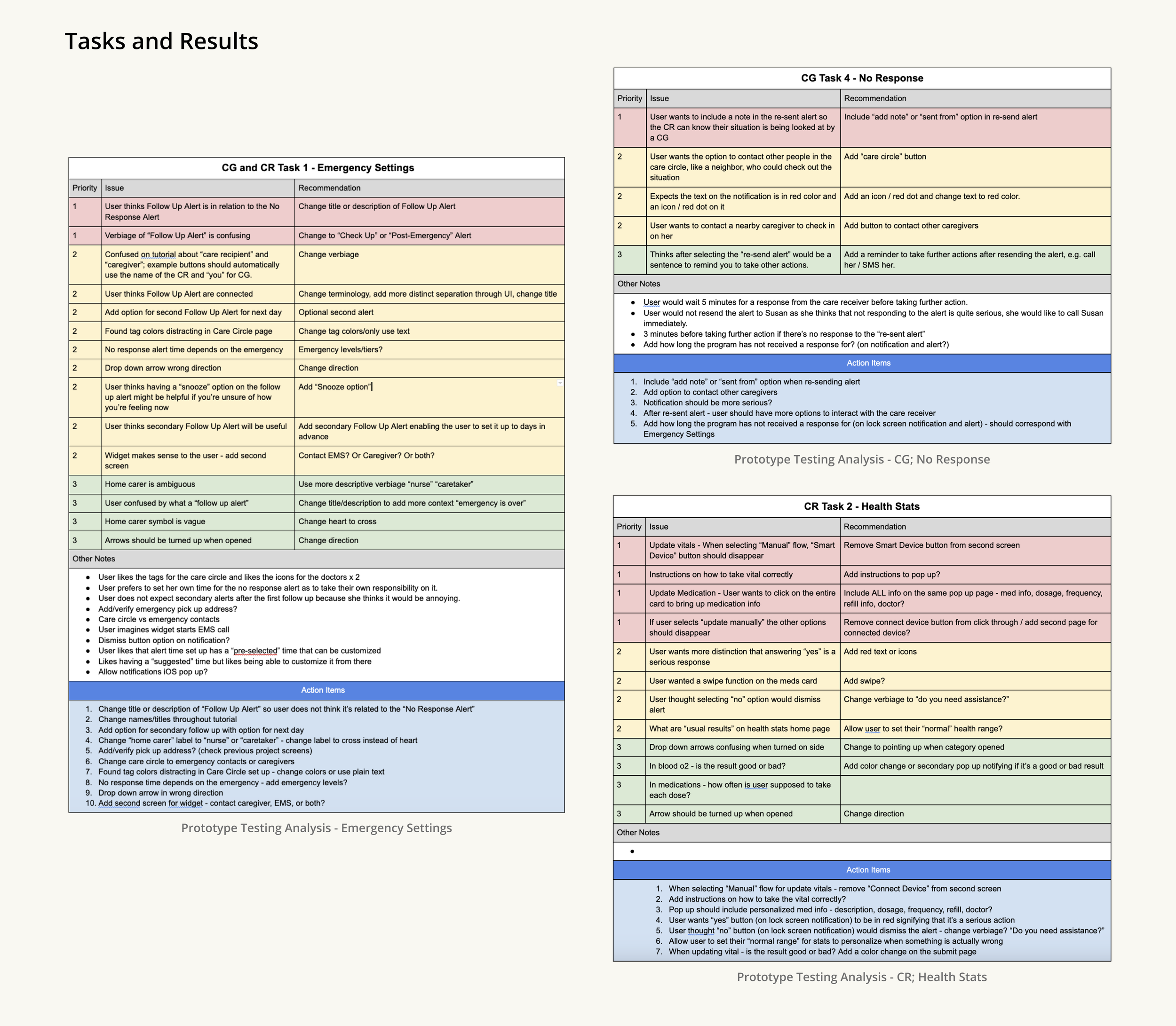
Screenshot of a document titled 'Tasks and Results' with multiple tables containing text related to emergency settings, health stats, and project analysis, including issue descriptions, recommendations, and action items.
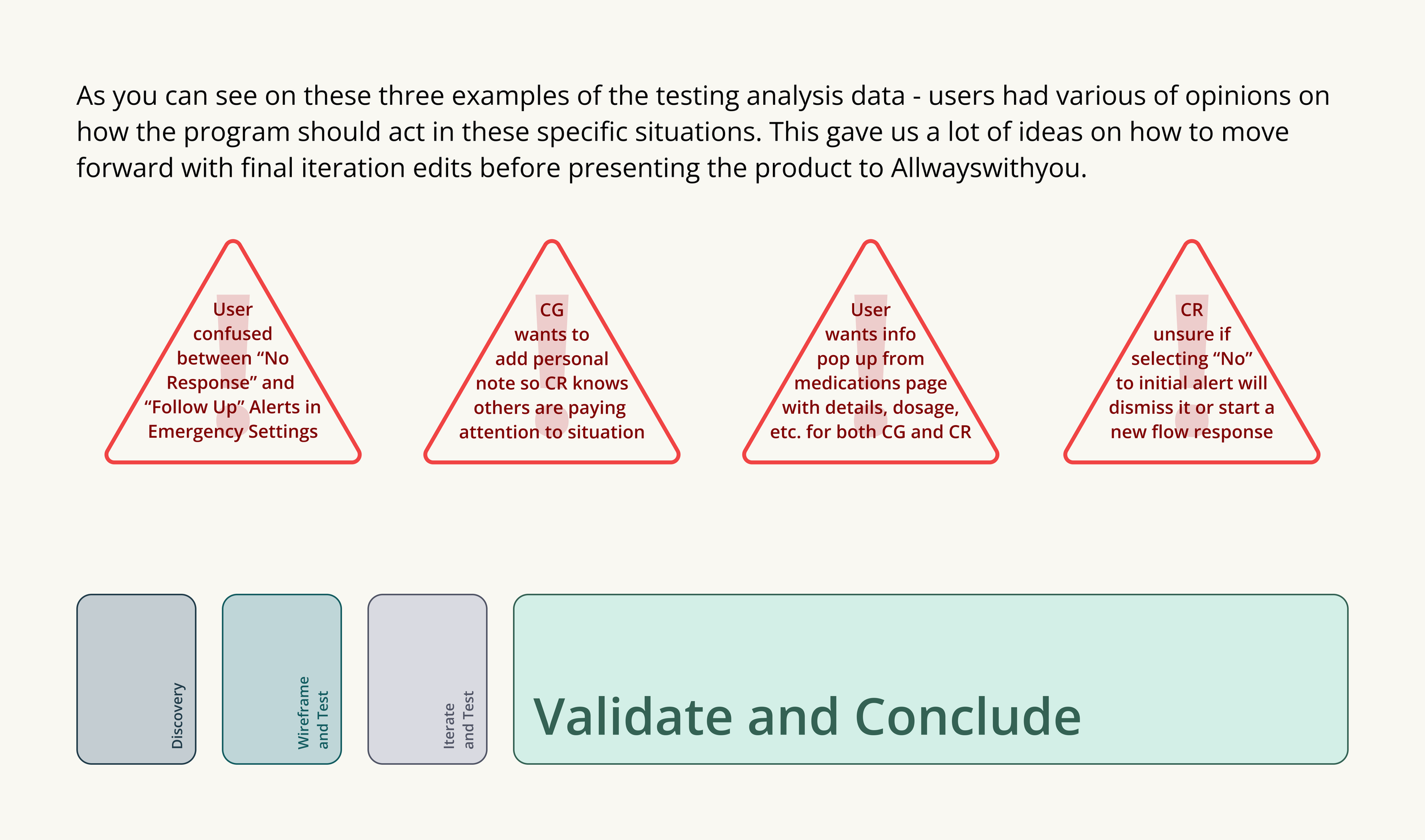
Test data analysis with four red triangle icons explaining user opinions and actions in a testing process.
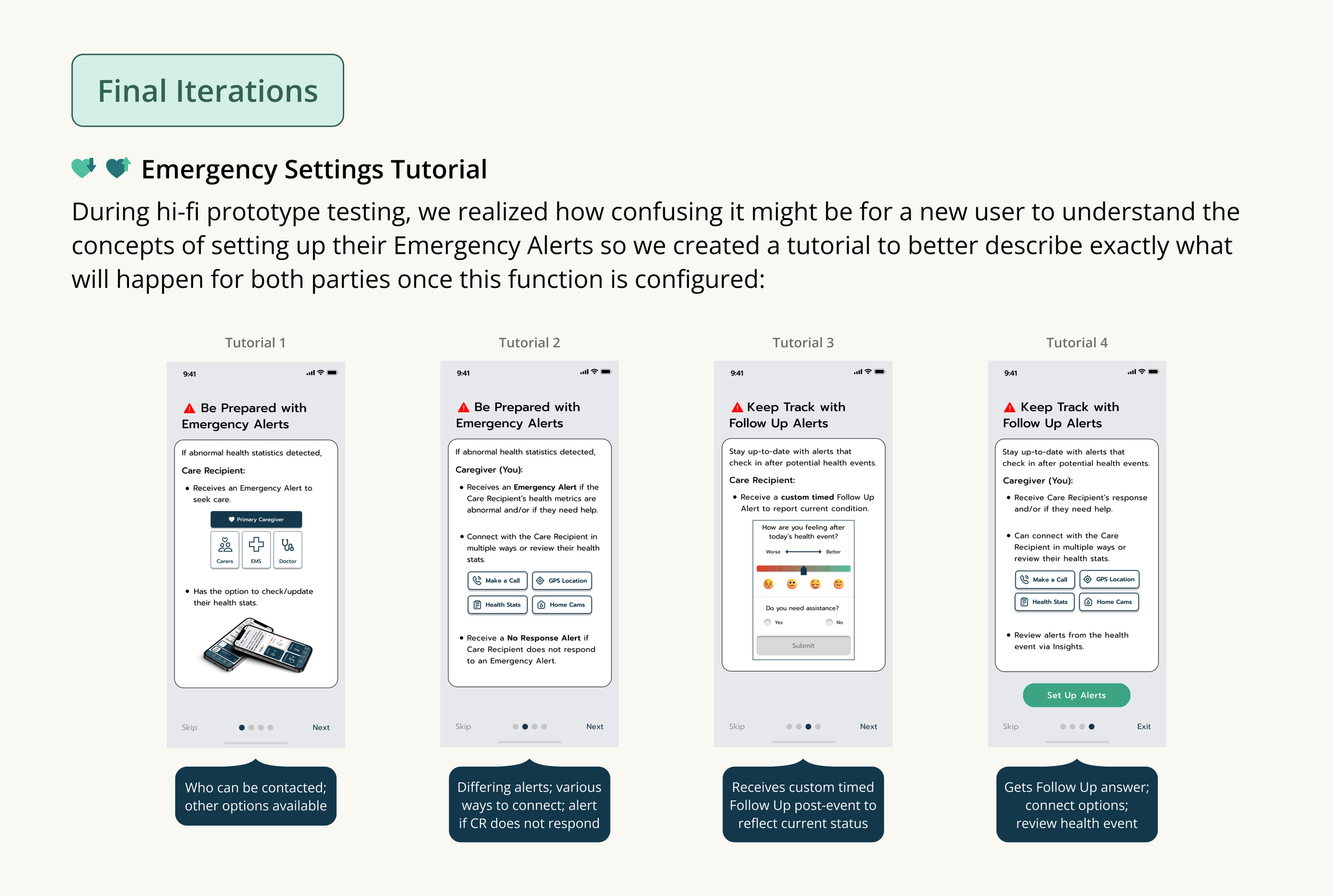
Screenshot of a multi-step tutorial for emergency alert setup on a mobile app, including instructions for configuring and managing health and follow-up alerts.
Screenshots of a mobile app showing the setup process for emergency alerts, including sections for notifications, care team, no response alerts, and follow-up alerts, with icons, toggles, and time settings.
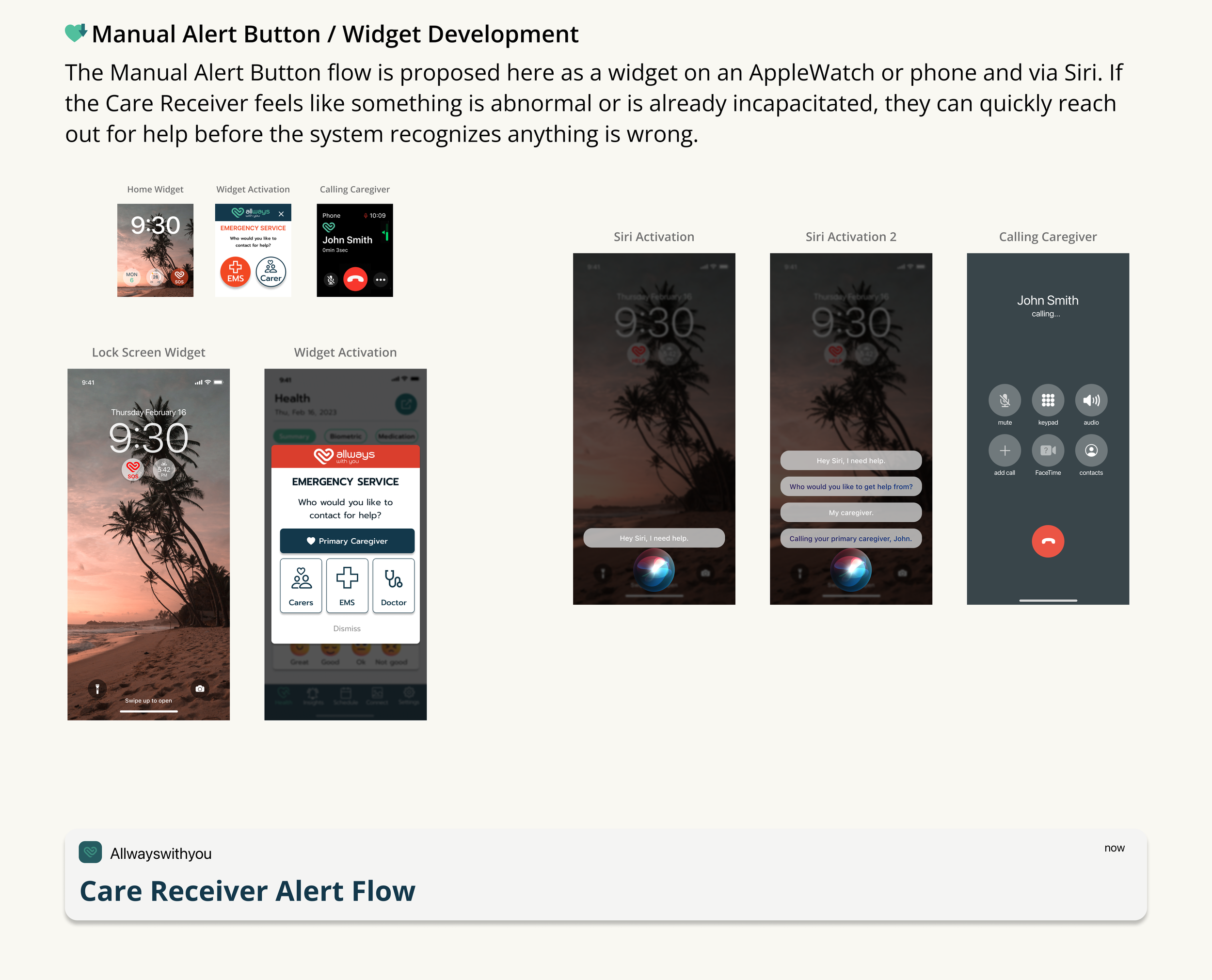
Step-by-step screenshot guides for creating a manual alert button/widget in a care receiver alert flow, showing various app screens and interactions on a smartphone, including home widget, call screen, and Siri activation.
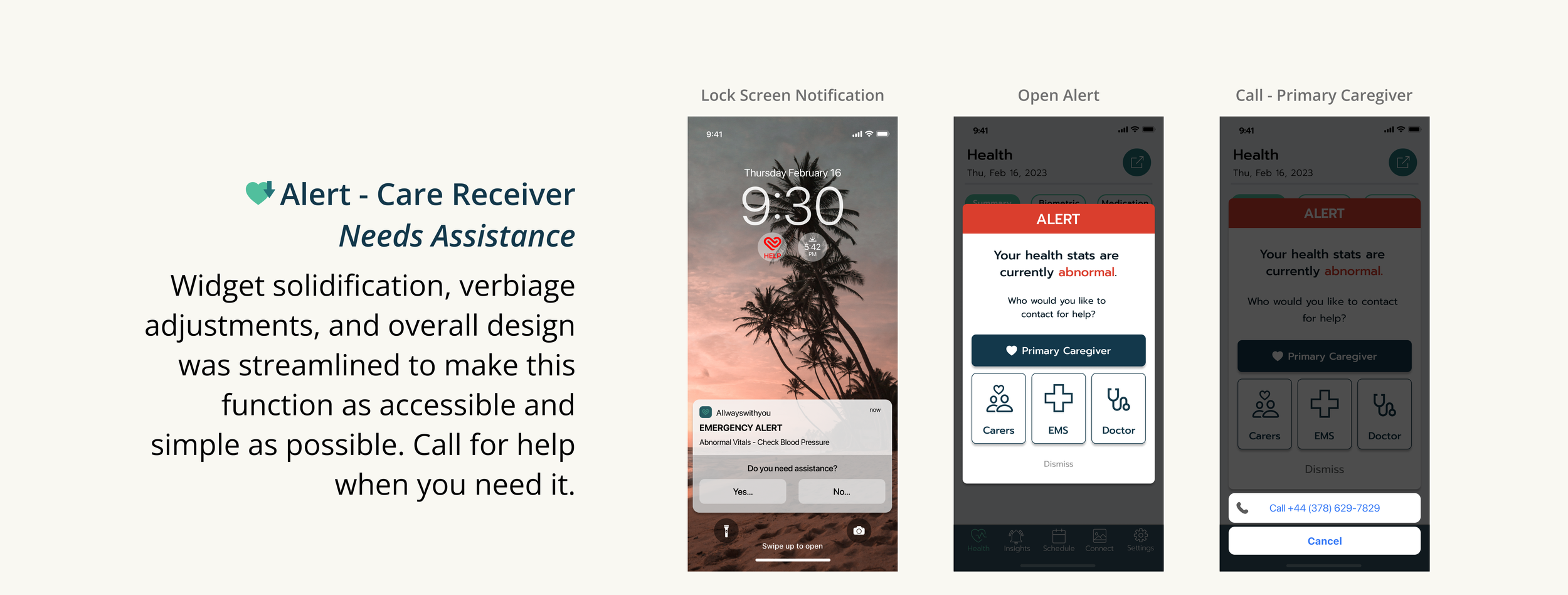
A presentation slide showing a healthcare alert app with three smartphone screens. The first screen displays a lock screen notification for an emergency alert about abnormal vitals. The second screen shows an alert message indicating abnormal health stats and options for contacting a primary caregiver, carers, EMS, or a doctor. The third screen provides a contact number for help and a cancel option.
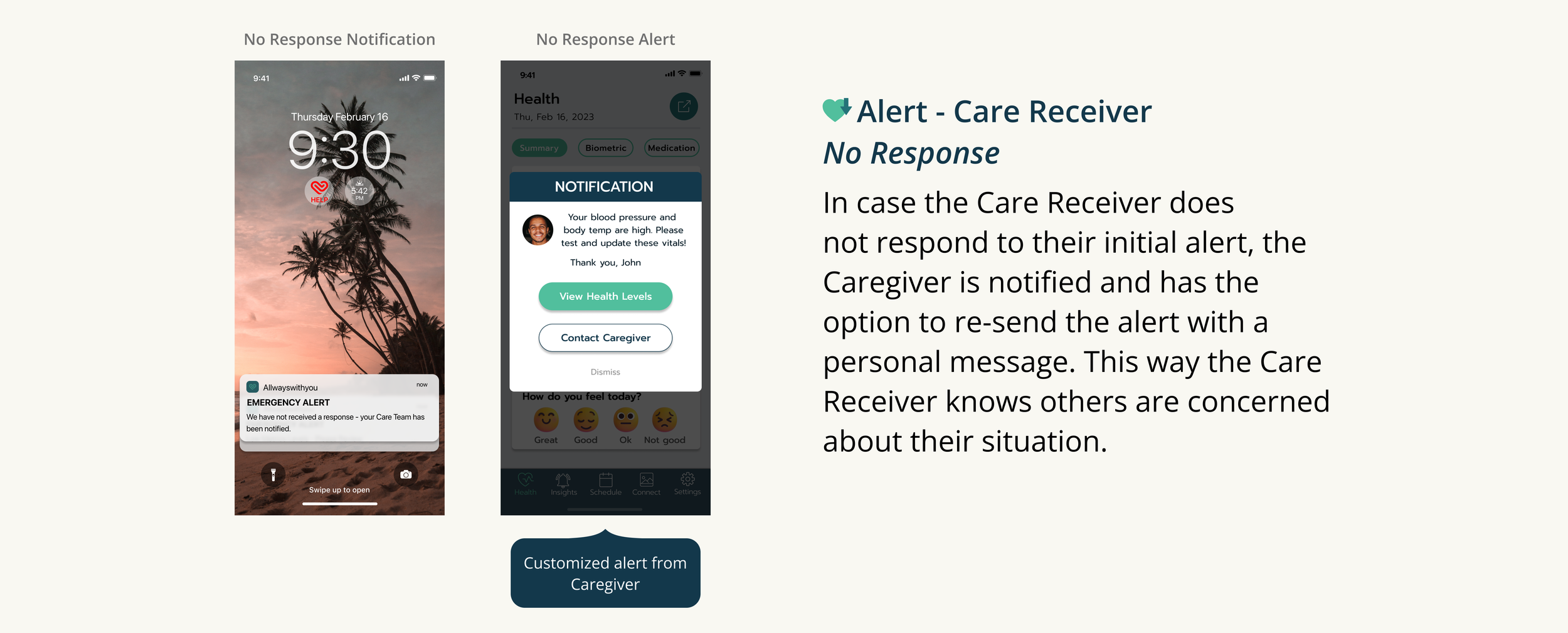
Guide explaining alert system for care receivers. The left side shows a smartphone lock screen with a red emergency alert for no response notification, and a message saying no response was received. The right side displays a health app with a notification about high blood pressure and body temperature, with options to view health levels or contact the caregiver. The text describes the purpose of the alert system in case the care receiver does not respond.
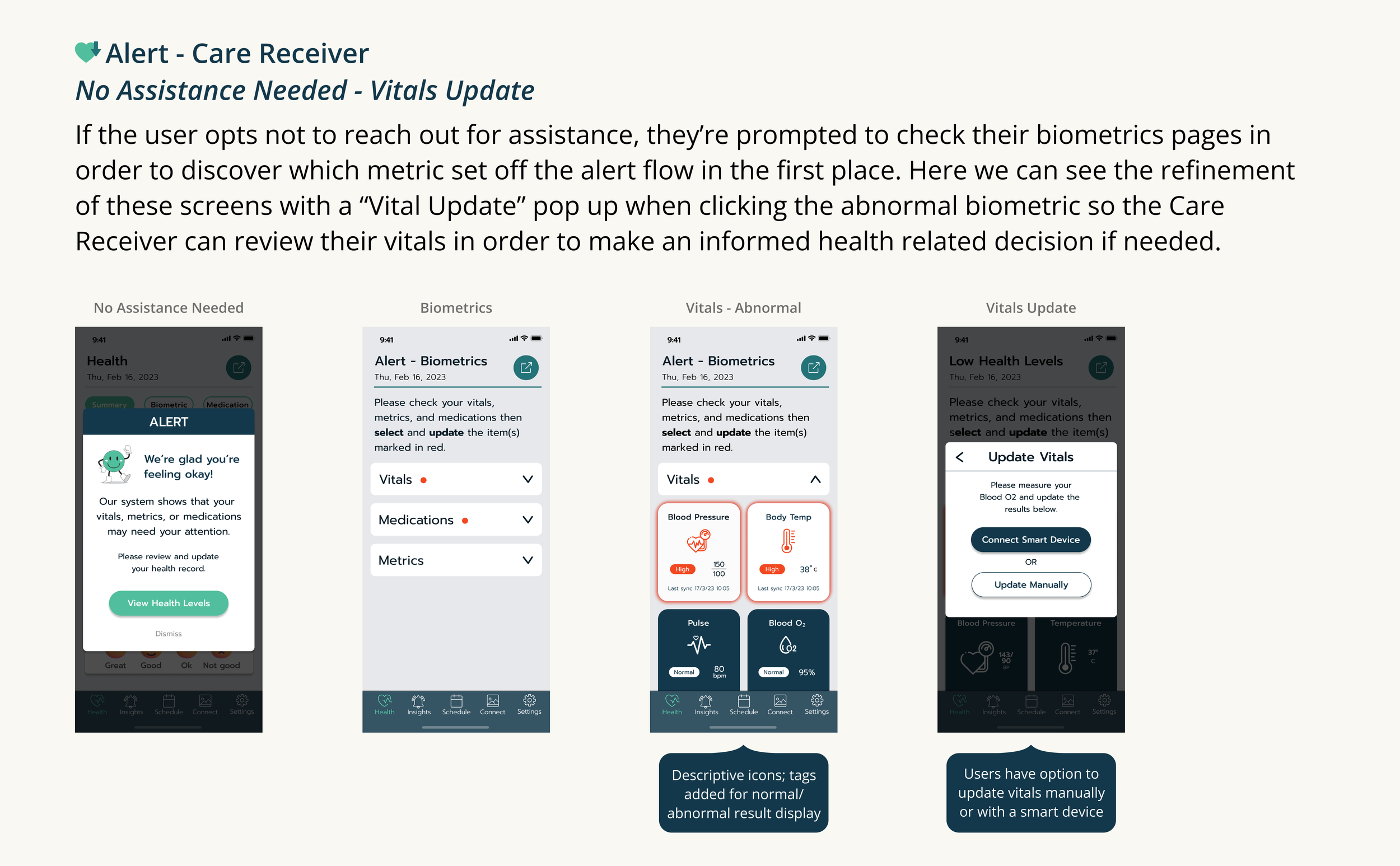
Screenshot of a mobile health app interface showing different screens for updating health vitals, including a 'No Assistance Needed' confirmation, a 'Biometrics' alert, an 'Abnormal Vitals' warning, and an option to update vitals manually or via a smart device.
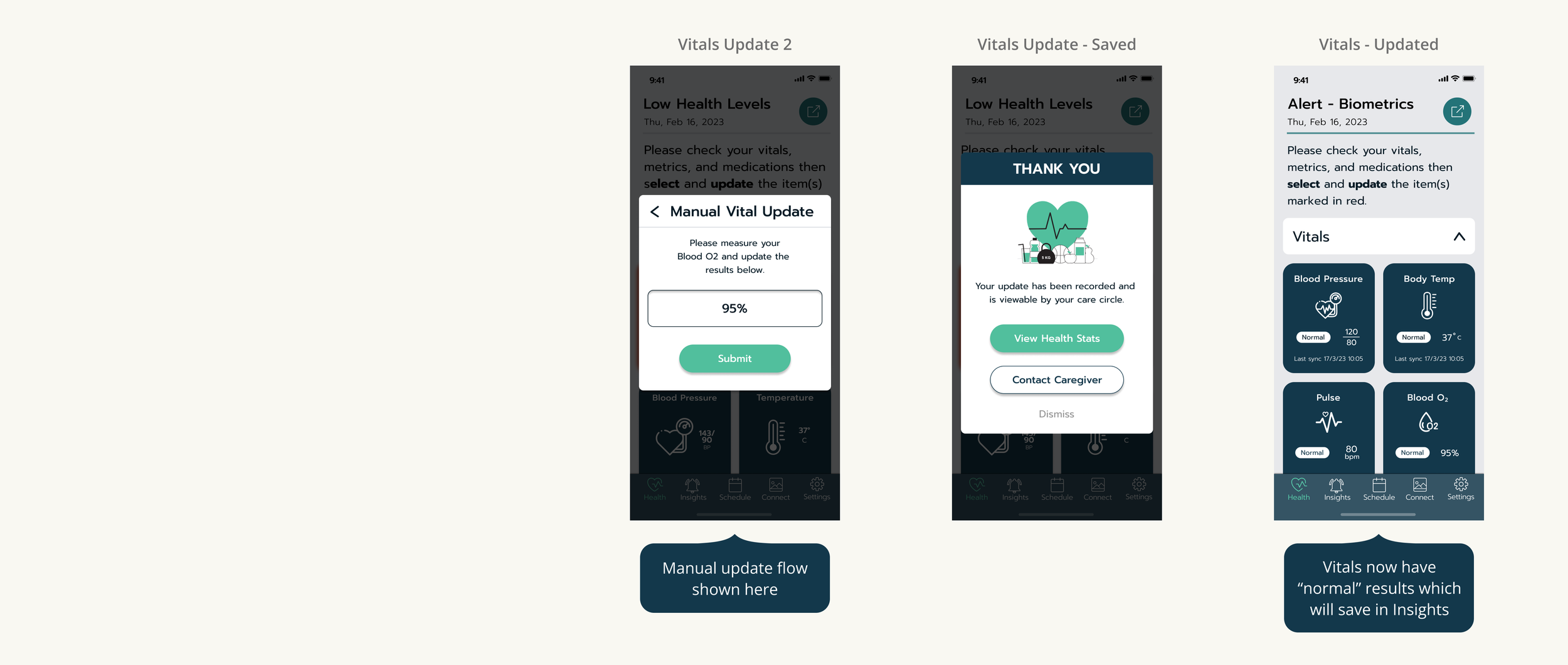
Screenshots of a health app showing vitals updates, including blood pressure, body temperature, pulse, and oxygen levels, with various notifications and confirmation messages.
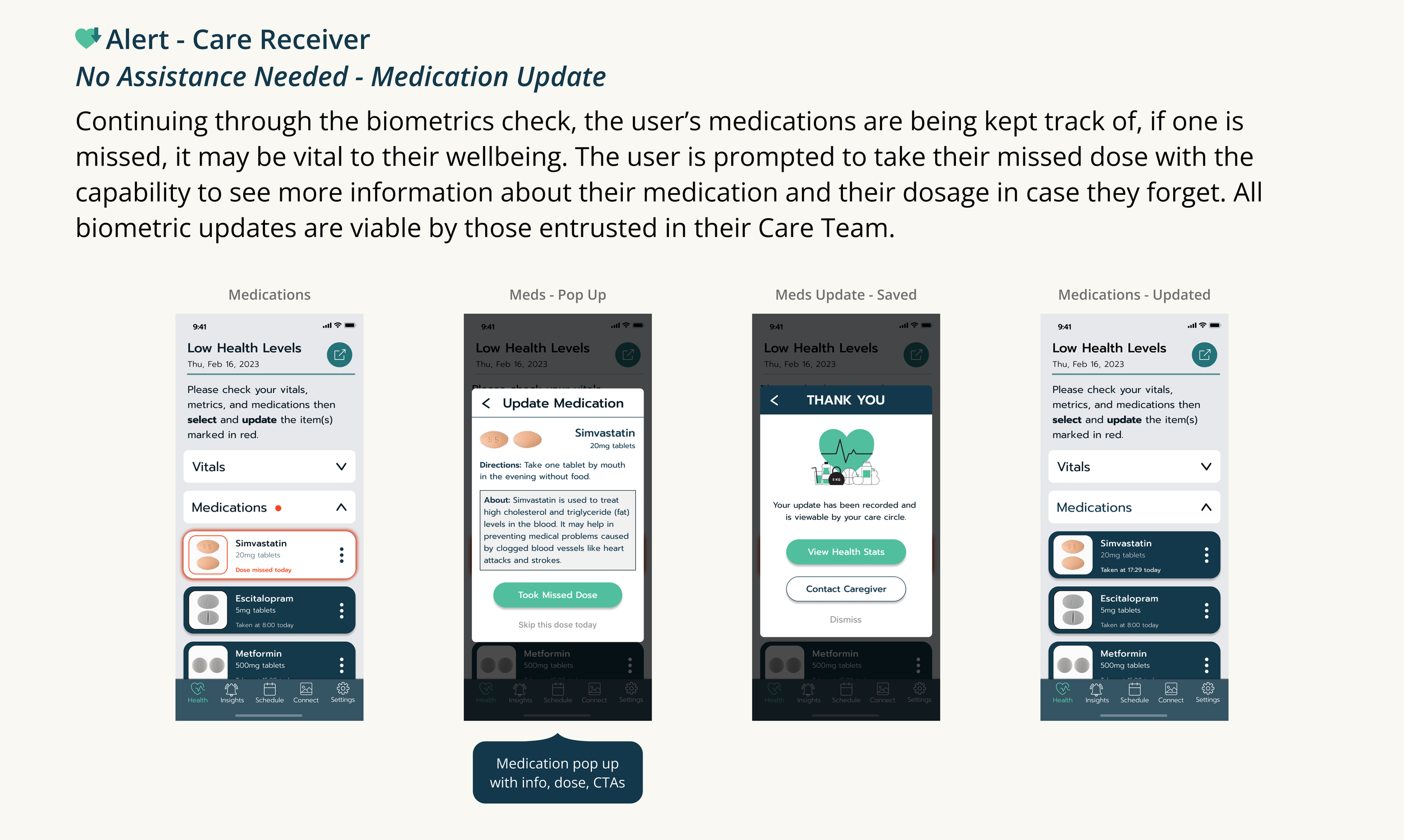
A series of mobile app screenshots showing medication tracking and biometric updates for a healthcare app, including medication details, updates, and confirmation screens.
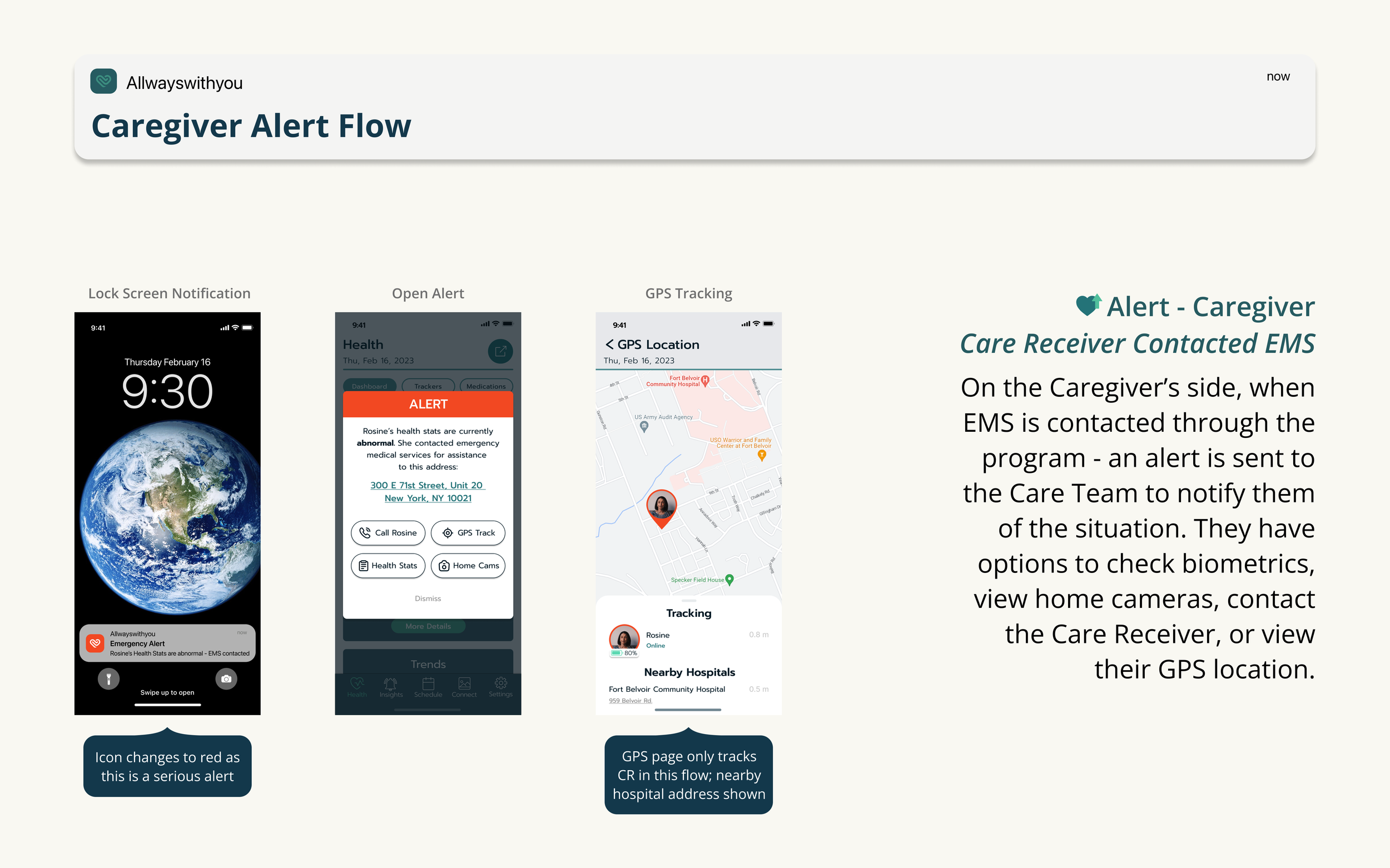
Screenshot of a web page explaining a caregiver alert flow with mobile app interface images, including a global Earth image, an emergency alert on a phone, a health app with an alert, and GPS tracking map.
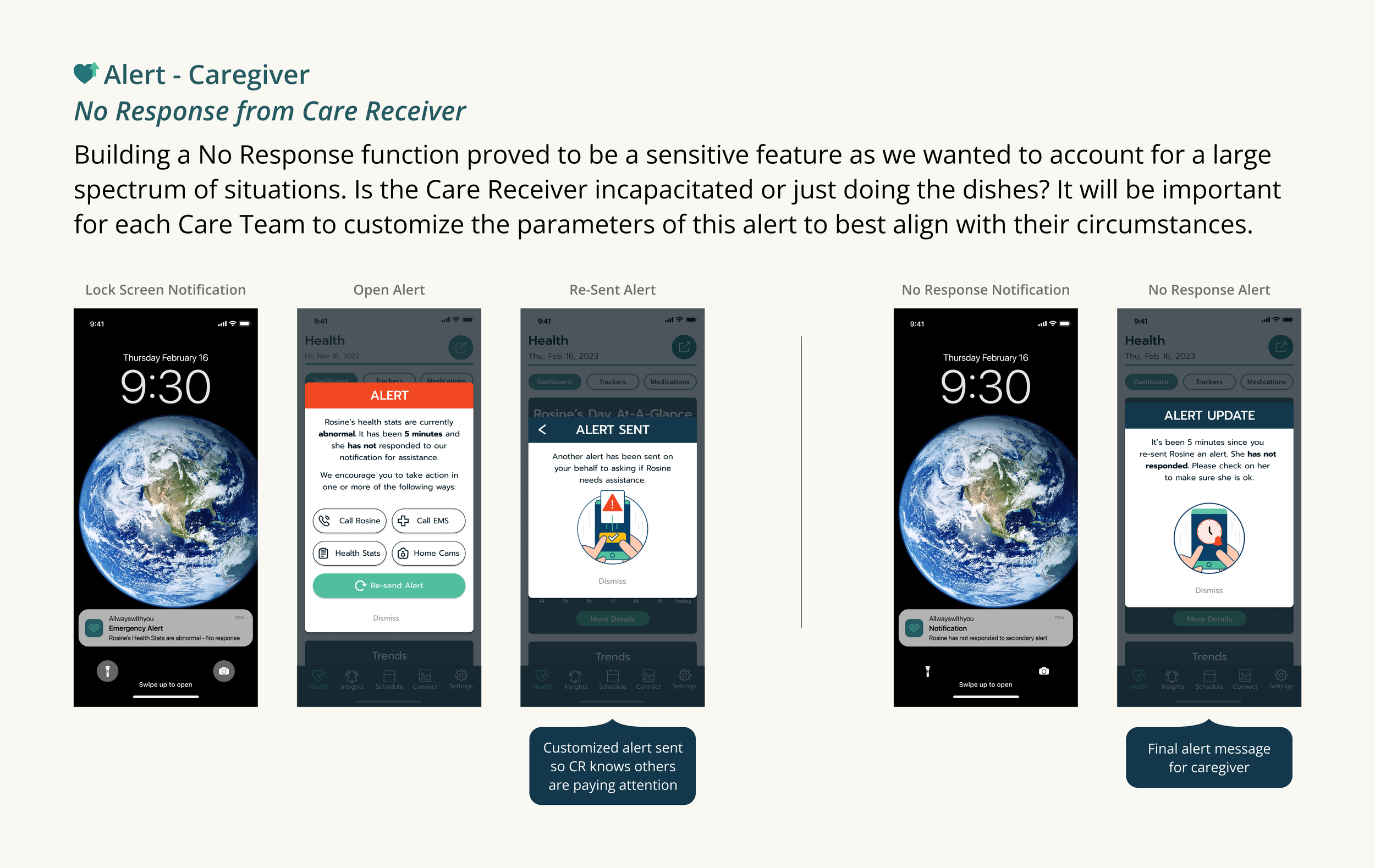
Screenshots showing different smartphone notifications related to caregiver alerts and responses, including an emergency alert, alert sent, re-sent alert, no response notification, and final alert message, with descriptions of each notification process.
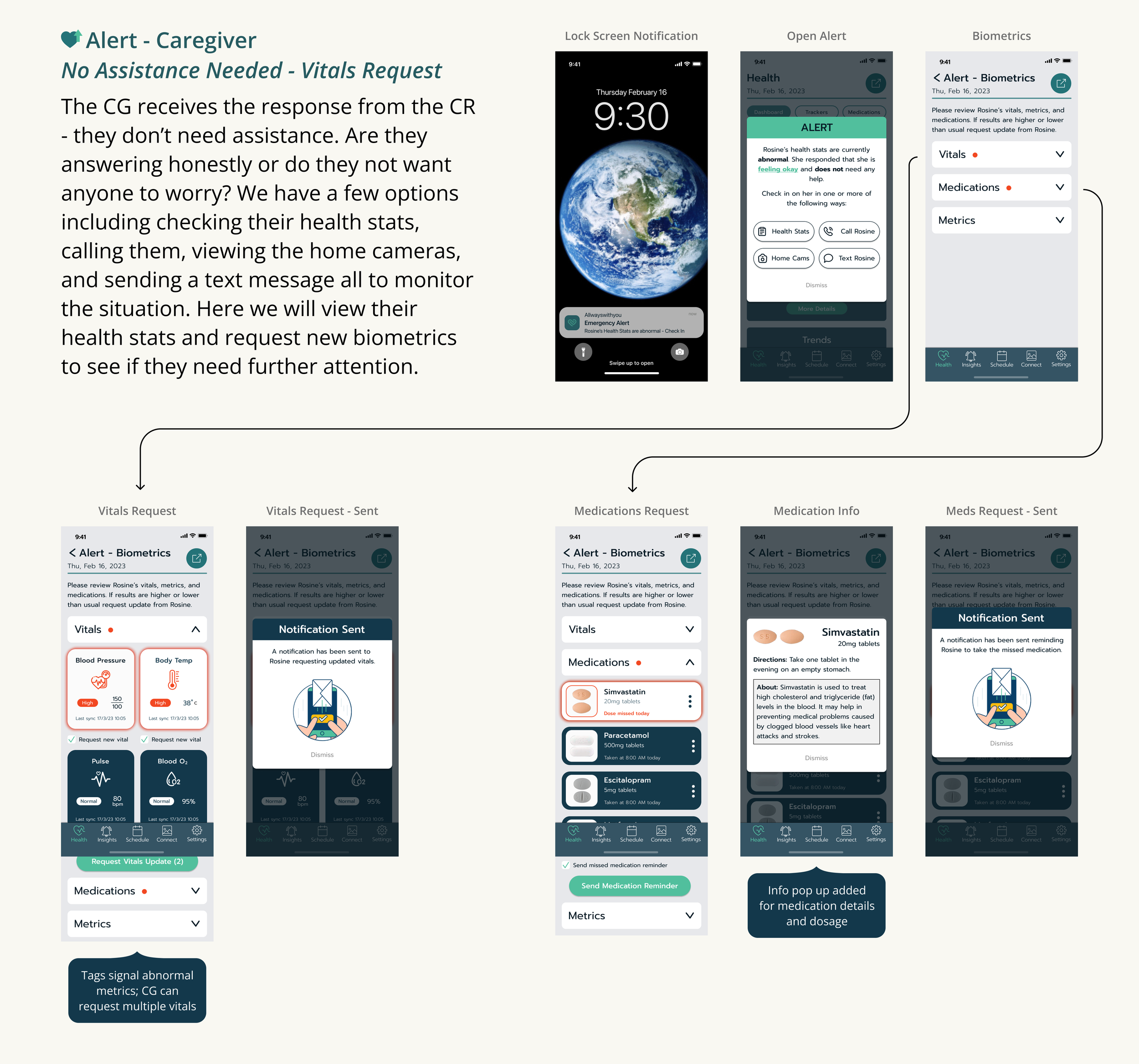
A digital infographic explaining a caregiver alert system through a series of smartphone app screens. It details notifications for health status, medication updates, and biometric requests, showing how the system monitors and reports patient vitals and medication adherence.
Screenshot of a mobile app called Allwayswithyou showing a care follow-up process, including screens for post-event follow-up, health feedback, and insights, with icons, text, and visual elements describing health monitoring and emotional feedback features.
Screenshots of a mobile health application showing follow-up notifications, health status, contact options, and an active call screen.
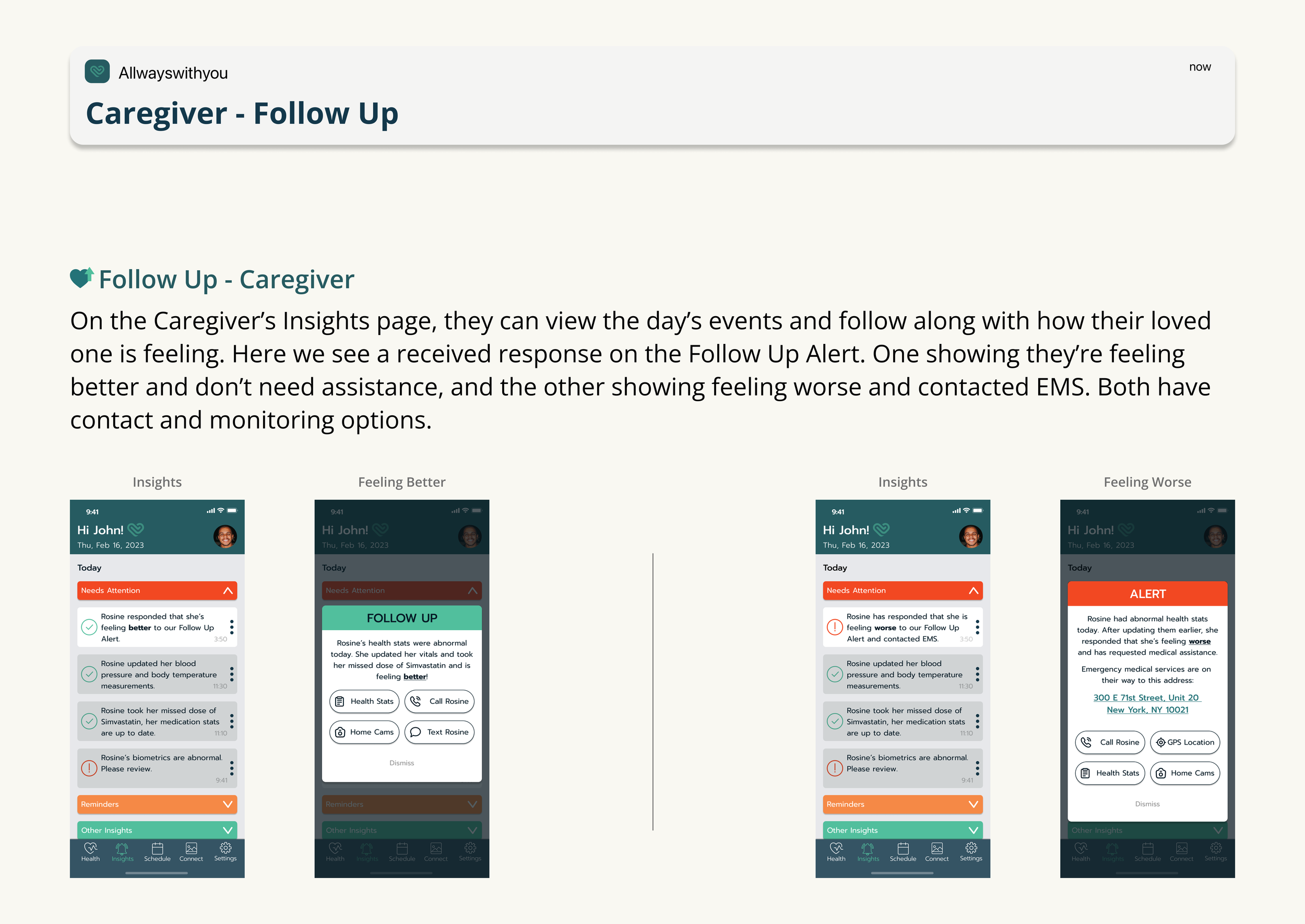
Screenshot of a mobile app interface for caregiver follow-up. It shows notifications about a patient's health status, with options to view health stats, call, or contact via home cameras or text. The app displays the patient’s recent updates, alerts, and contact information, with a bottom menu featuring icons for Health, Insights, Schedule, Connect, and Settings.
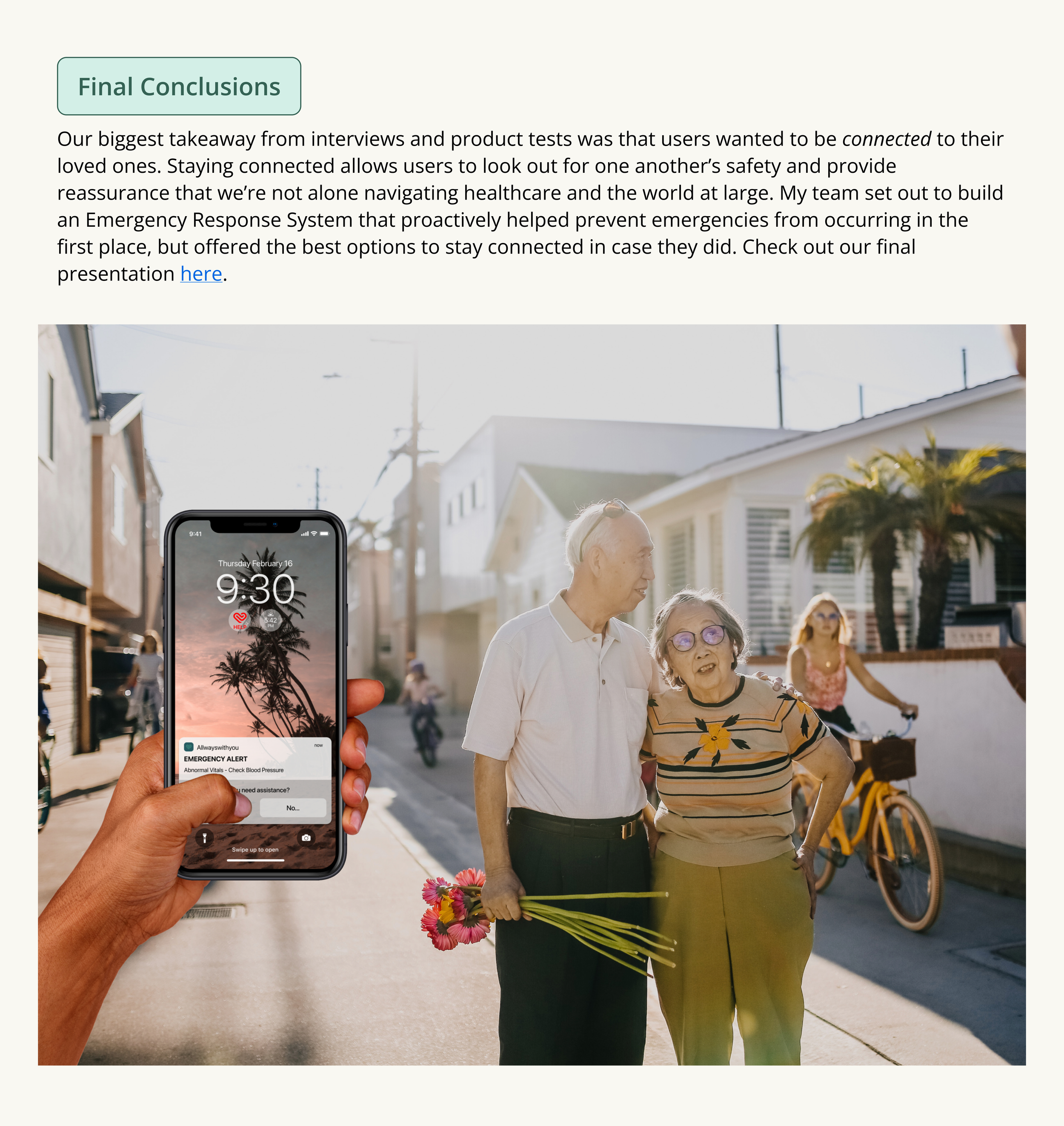
A hand holding a smartphone displaying an emergency alert for abnormal vital signs, with a background of elderly people walking and holding flowers on a sunny street.
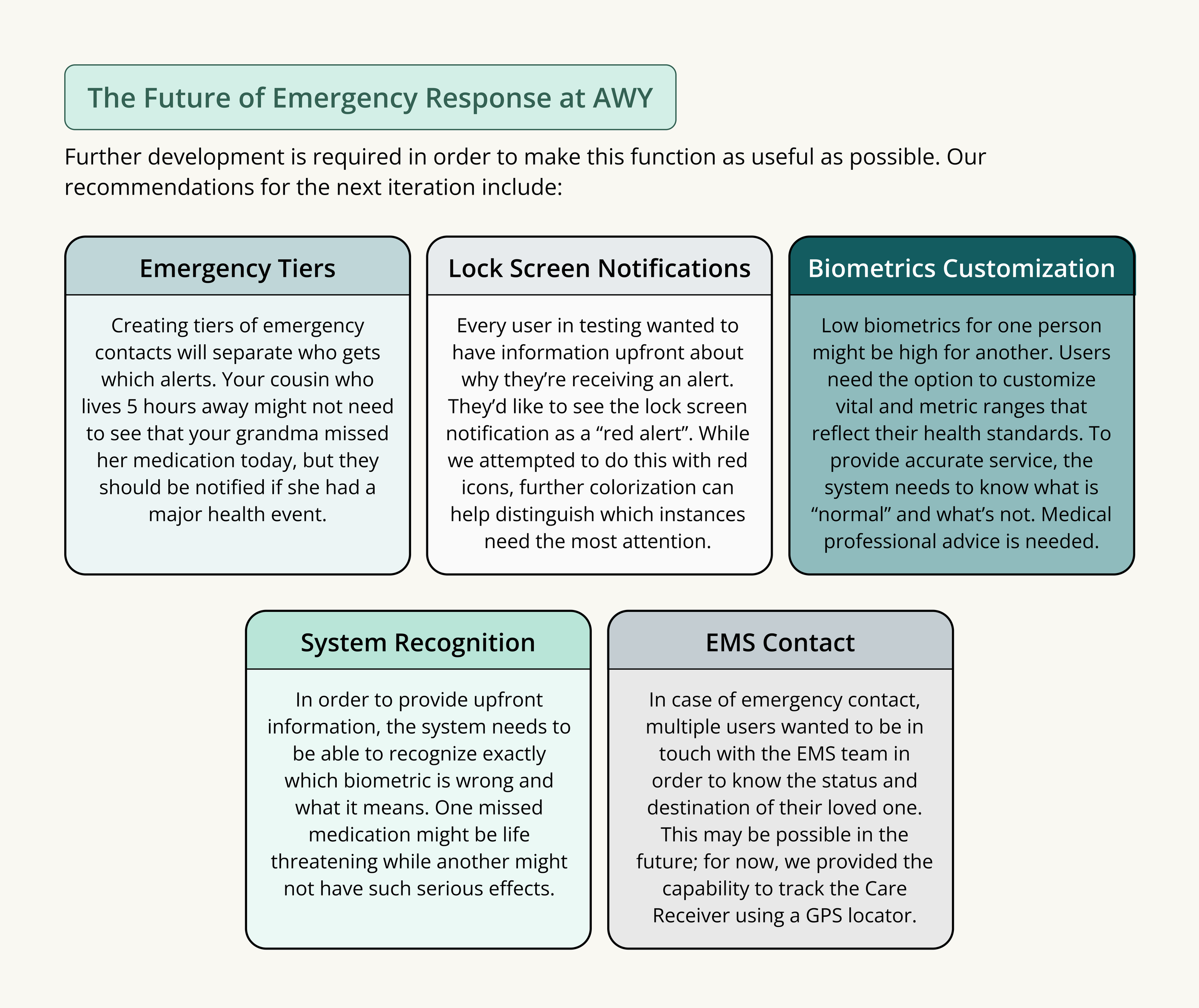
A detailed infographic discussing the future of emergency response at AWY. It includes sections on emergency tiers, lock screen notifications, biometric customization, system recognition, and EMS contact, with descriptive text explaining each component.